

United StatesNDS 2024 (ASD)

Design and verify wood beams to NDS 2024 ASD, bending, shear, bearing, and three deflection limits, each shown with governing NDS adjustment factors and code references. Load reactions at each support link directly to connected column and footing calculations so changes propagate automatically through the full load path. Supports simple and continuous spans, multi-ply beams, flitch plate composite beams, and inclined configurations.
Method & scope
Background
The Calcs.com Wood Beam Calculator allows users to design wood beams by specifying the desired load cases and dimensions of the beam. In this article, each section of the calculator will be explained plus followed by a few worked examples. If you’d prefer to learn by watching a video overview, check out the video below. The Wood Beam Calculator has 4 main sections- Key Properties
- Loads
- Design Conditions
- Summary and Graphs
See the exact clause
Calculation method
Design methodology
The calculator implements Allowable Stress Design (ASD) as defined in the 2024 National Design Specification for Wood Construction (NDS 2024). In ASD, each load effect is compared directly to an adjusted allowable capacity derived from the tabulated reference design value multiplied by a chain of adjustment factors. The beam passes a given limit state when the demand-to-capacity ratio does not exceed 1.0: utilization = demand / adjusted allowable ≤ 1.0 All six limit states, bending, shear, bearing, short-term deflection, long-term deflection, and DL+(LL or SL) deflection, must satisfy this inequality simultaneously. Reference design values reflect the updated NDS 2024 Supplement.Adjusted allowable bending stress
The adjusted allowable bending stress F’b is the product of the reference bending design value Fb and every applicable adjustment factor: F’b = Fb × CD × CM × Ct × CF × Cfu × Ci × Cr × min(CL, CV)- CD (load duration): amplifies allowable stress for short-duration loads, 1.6 for wind/seismic, 1.25 for construction, 1.15 for snow, 1.0 for occupancy live load, 0.9 for permanent dead load. The governing value is the highest CD among all loads acting simultaneously.
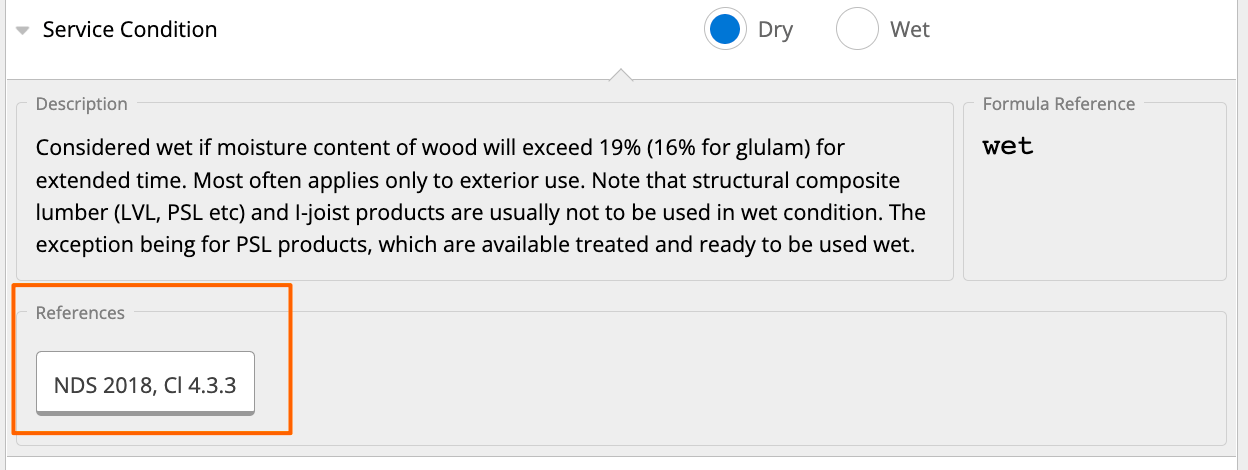
- CM (wet service): reduces capacity when moisture content exceeds 19% in service.
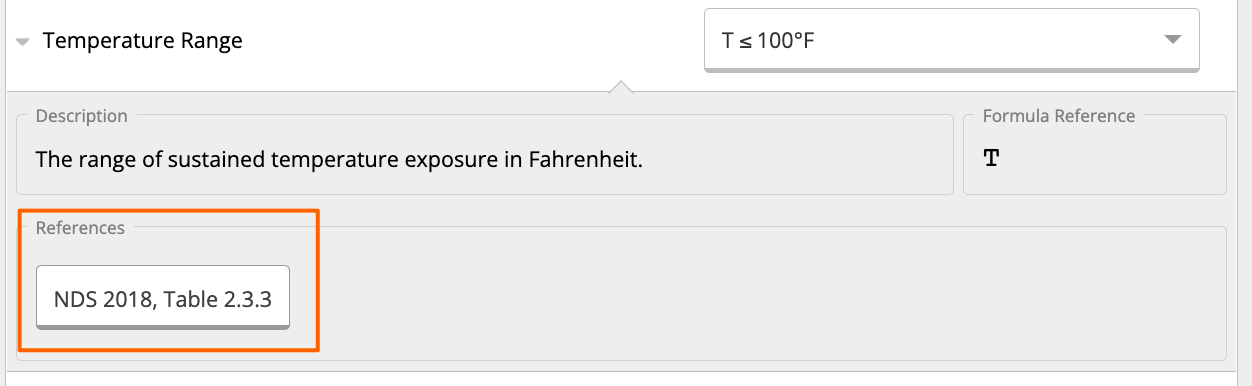
- Ct (temperature): reduces capacity for sustained temperatures above 100°F.
- CF (size factor): adjusts for member depth; applied to sawn lumber sections.
- Cfu (flat use): applies when the member is loaded on its wide face.
- Ci (incising): reduces design values for preservative-treated incised members.
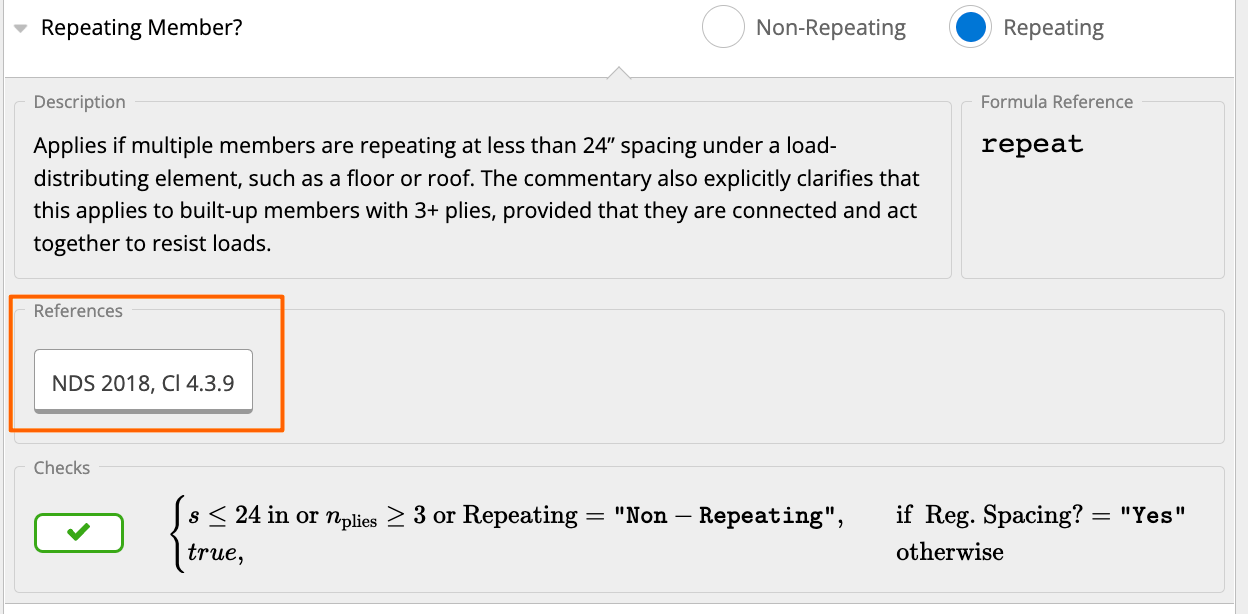
- Cr (repetitive member): allows a 15% increase when three or more members are spaced 24 in. or less and share a load-distributing element.
- CL (beam stability) / CV (volume factor): NDS 2024 §3.3.3 requires using the lesser of CL and CV, not both simultaneously.
Beam stability and lateral-torsional buckling
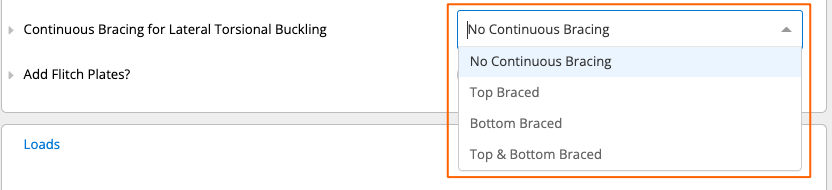
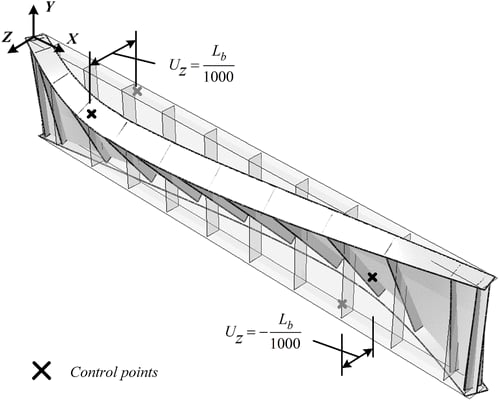
CL is computed from the slenderness ratio RB = √(d × Le / b²), where d is beam depth, b is breadth, and Le is the effective unbraced length. The calculator accepts four LTB bracing conditions: no continuous bracing, top-face only, bottom-face only, and top-and-bottom. Full bracing at both faces suppresses lateral-torsional buckling and sets CL = 1.0.Shear check
The adjusted allowable shear stress F’v is: F’v = Fv × CD × CM × Ct × Ci Shear demand is conservatively taken at the absolute highest location along the span (rather than at distance d from the support face). The utilization check is: V / V’ ≤ 1.0, where V’ = F’v × (2/3) × A × (number of plies)Bearing (compression perpendicular to grain)
At each support, the bearing stress is compared to the adjusted allowable perpendicular-to-grain compression: F’c⊥ = Fc⊥ × CM × Ct × Ci × Cb where Cb is the bearing area factor. The utilization check is: R / R’ ≤ 1.0, where R’ = F’c⊥ × bearing area Bearing length is entered for each support in the Supports table. Bearing at point loads is not checked.Deflection checks
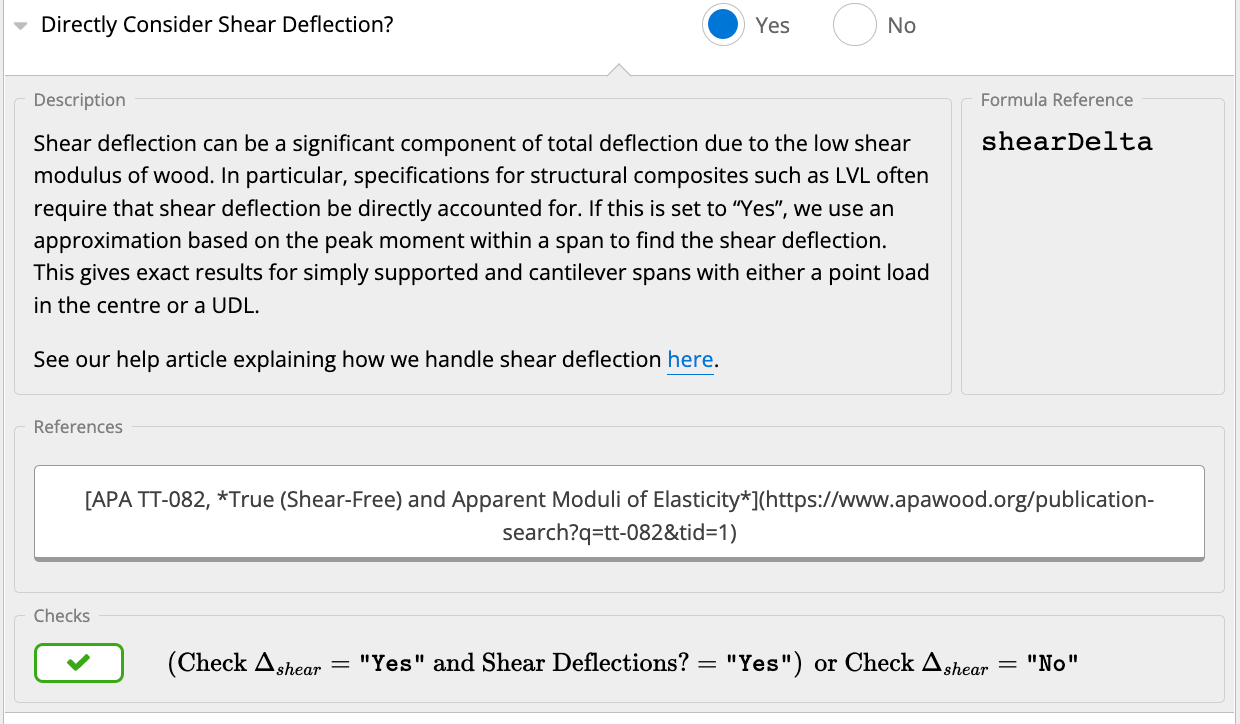
Three deflection limit states are checked independently:- Short-term (ST): instantaneous elastic deflection under the specified live-load or short-duration combination.
- Long-term (LT): total deflection including creep, computed as the ST deflection amplified by the applicable creep factor.
- DL+(LL or SL): a simplified envelope combining dead load and the governing transient load.
Flitch plate and multi-ply beams
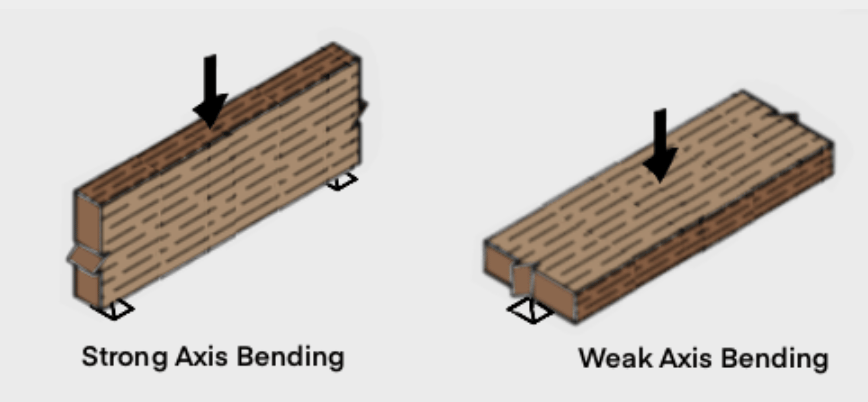
For flitch plate beams, stiffness and moment capacity are distributed between timber plies and steel plates in proportion to their EI contributions. Timber capacity checks (bending, shear, bearing) apply only to the timber portion of the composite section, allowing accurate sizing of combination timber-steel headers and girders. In multi-ply beams without flitch plates, the plies are assumed to act non-compositely when loaded on the weak axis.How to use it
1
Key Properties
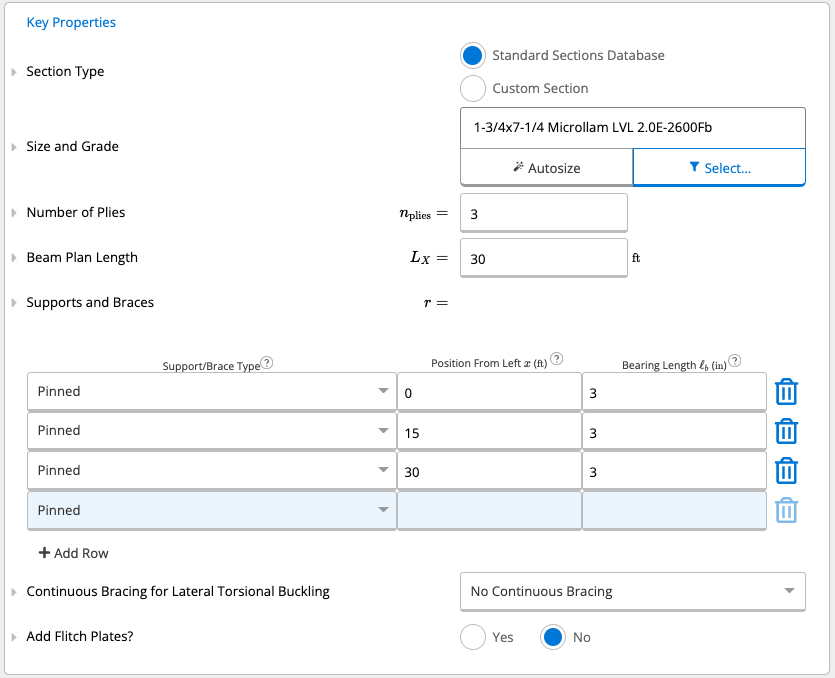
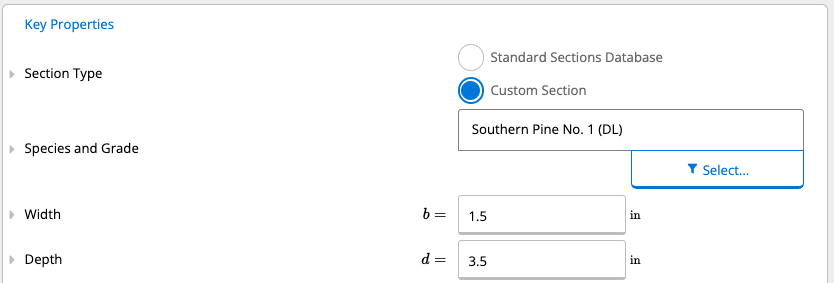
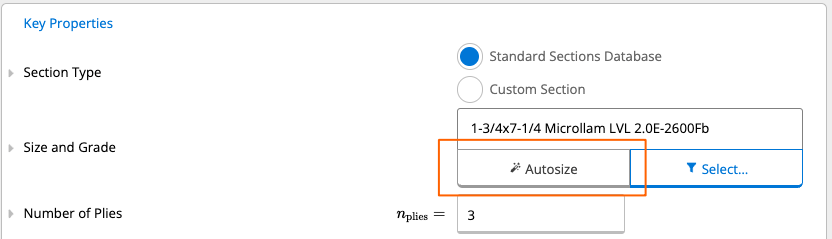
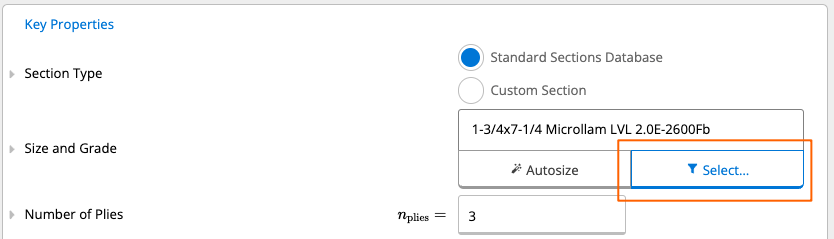
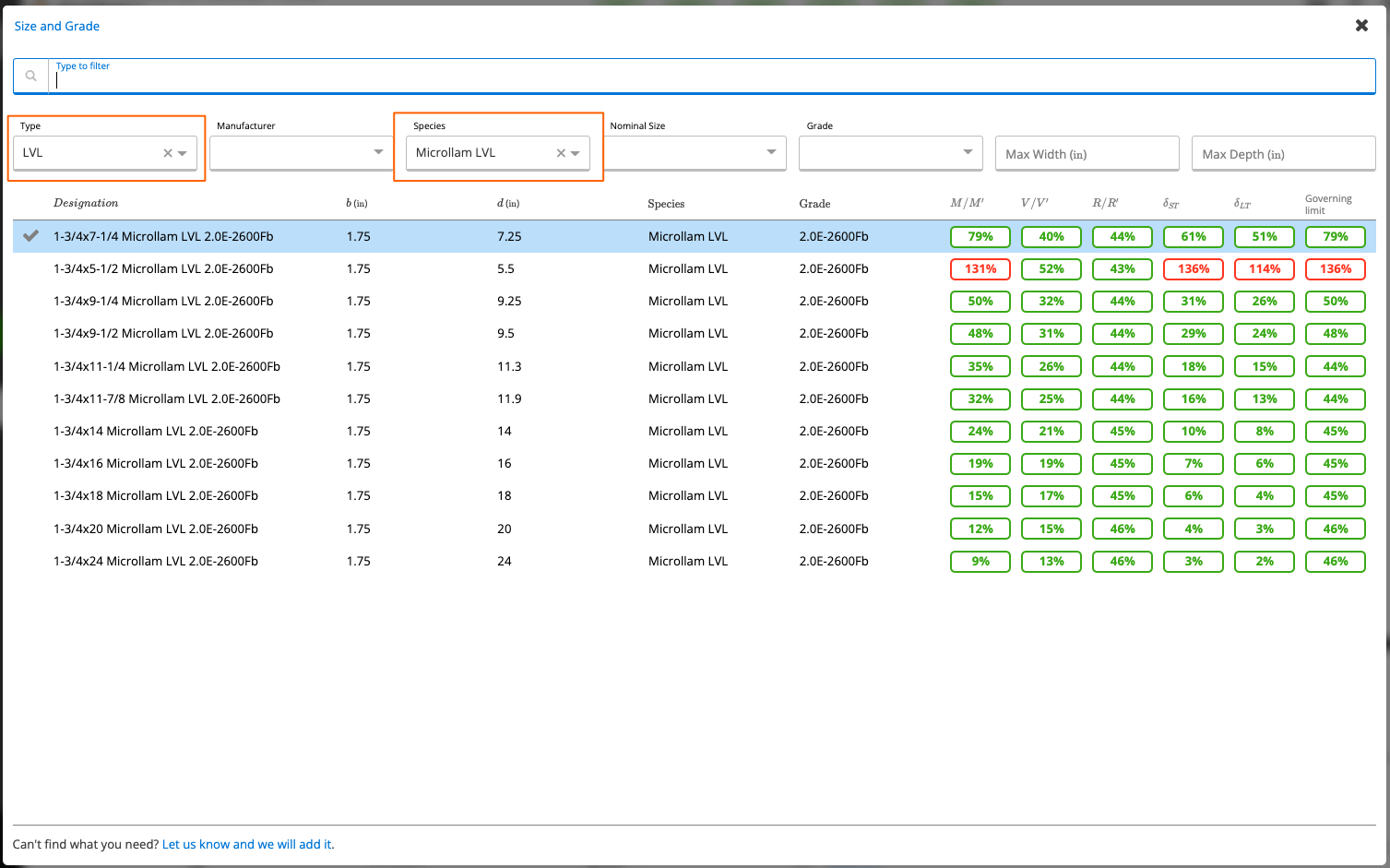
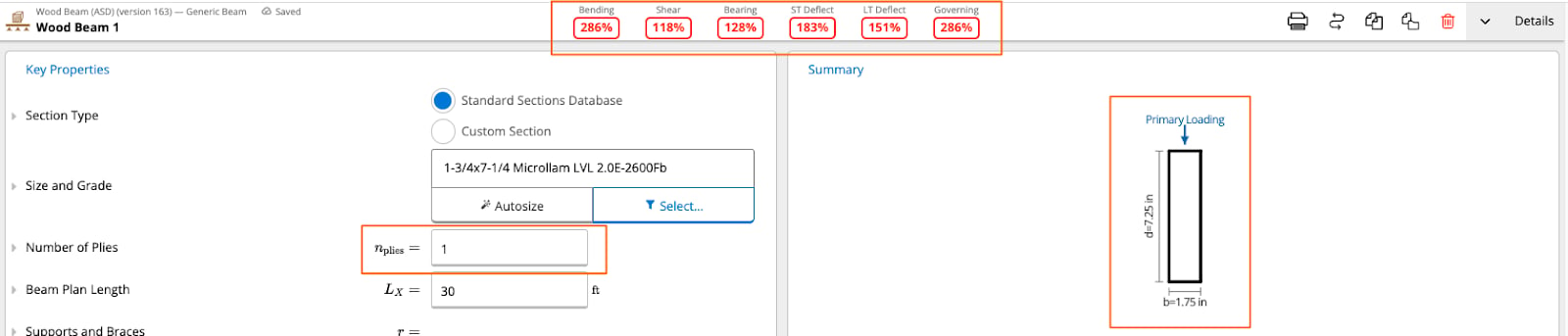
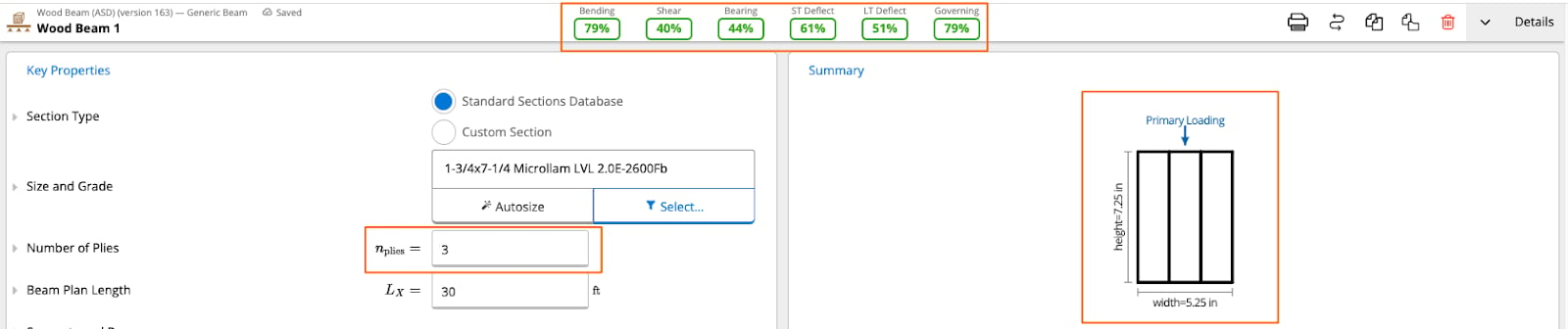
-
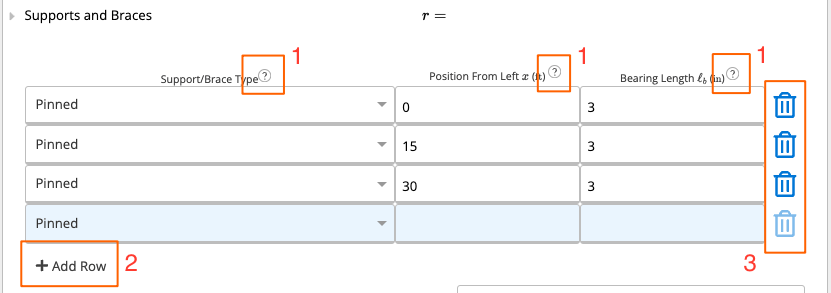
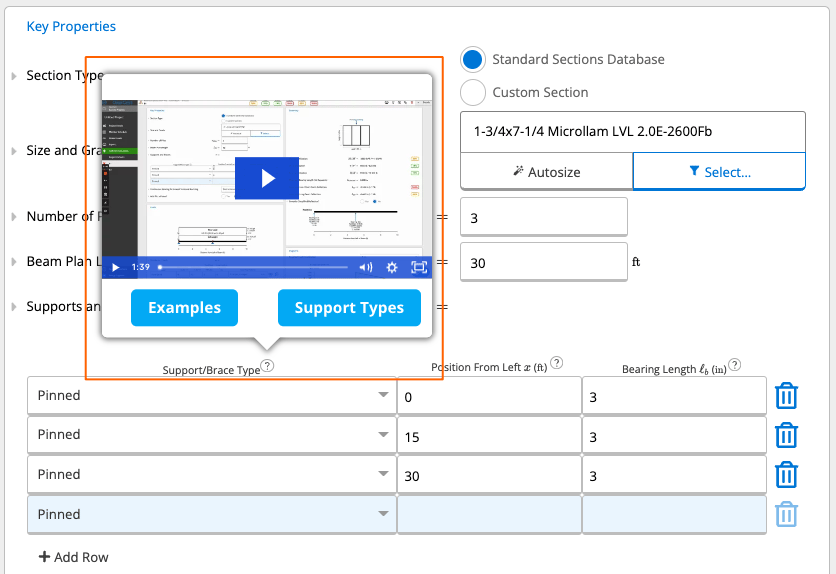
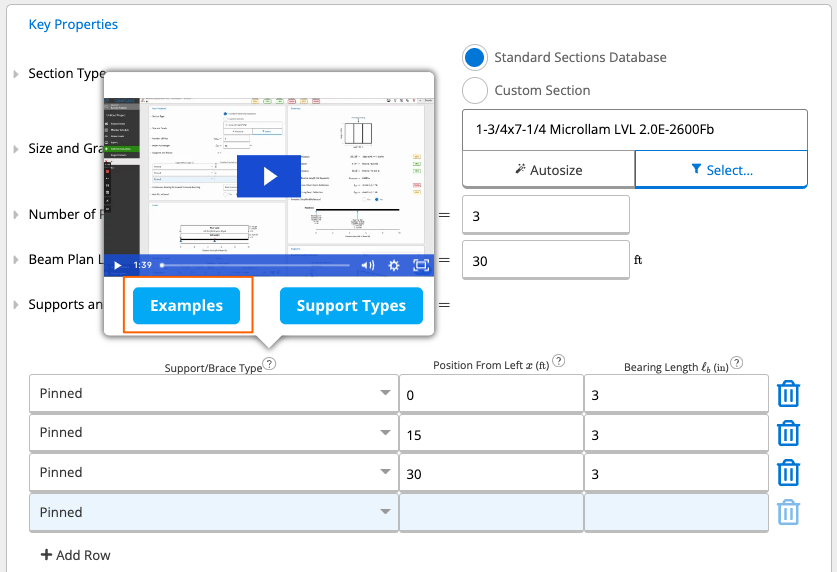
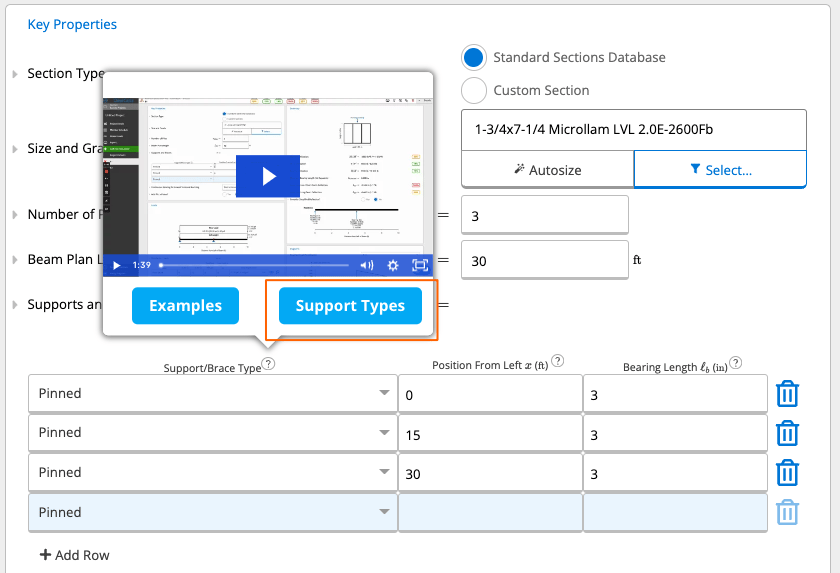
Hover over the question marks next to the “Support/Brace Type”, “Position from Left (ft)”, and “Bearing Length (ft)” to see some additional in-app help content. Shown below in screenshots for reference.
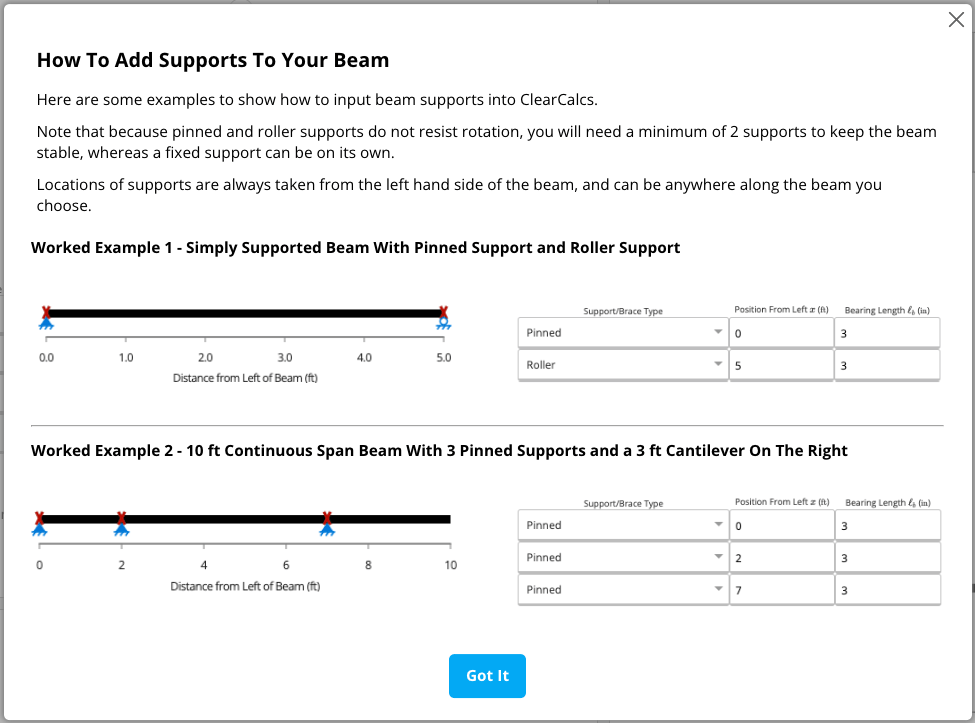
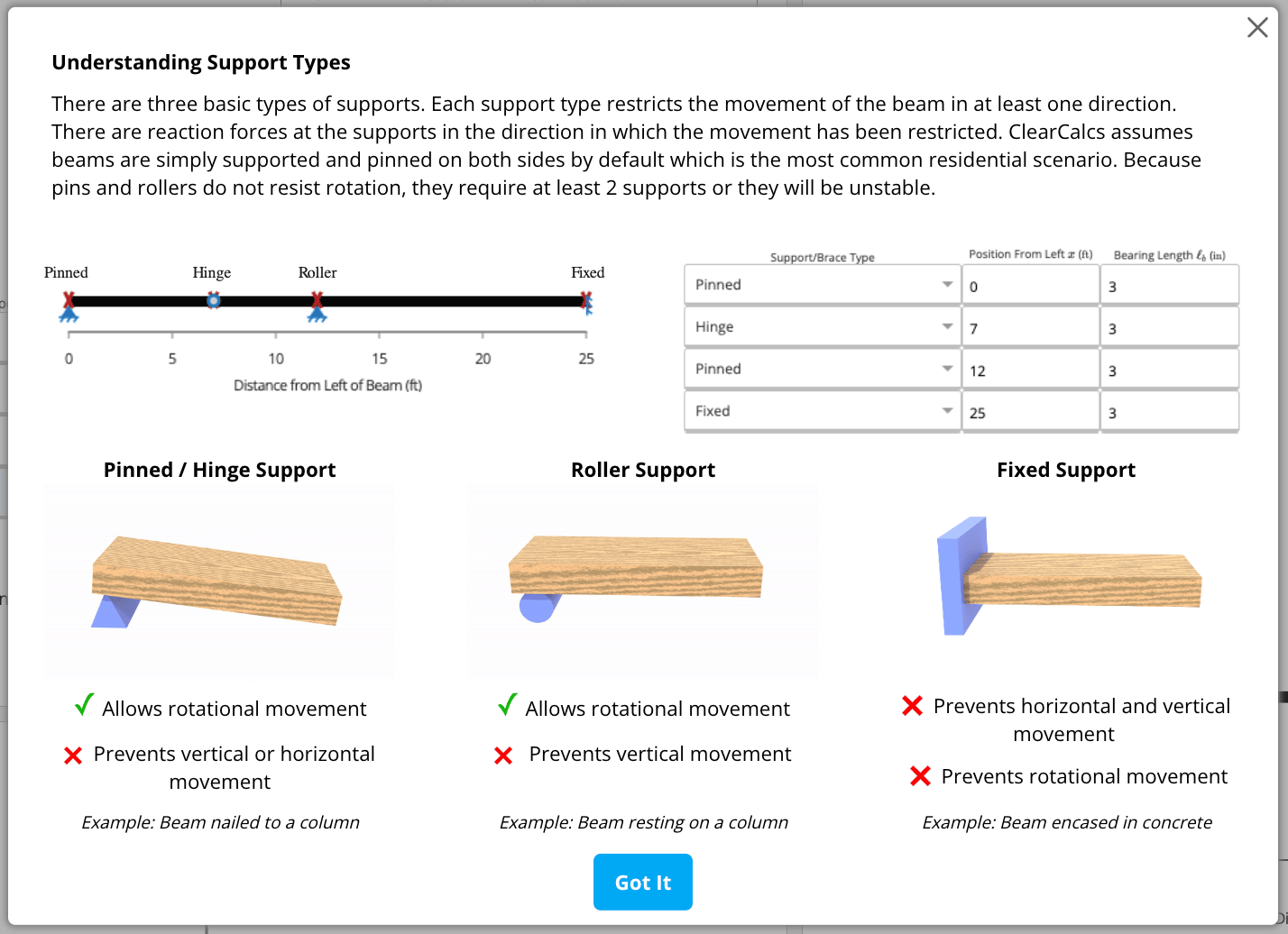
- Curious what the difference between Pinned, Fixed, Roller, etc. support types are? We’ve got you covered! Take a look at the last screenshot in this “Supports and Braces” section.
- The most conservative and generally most appropriate option is to use a Pinned or Roller support in Wood Beams, which is why we default to Pinned in our beam calculators.
-
Click the “+ Add Row” button to add a new row (i.e., add another support) to create a multi-span beam within Calcs.com.
- You can add as many supports as you’d like in a Calcs.com beam calculator.
-
If you ever add a support that you didn’t mean to add - or if you want to get rid of one to see how your beam performs - simply hit that trash can icon on the right hand side of the row to delete the row.
2
Loads
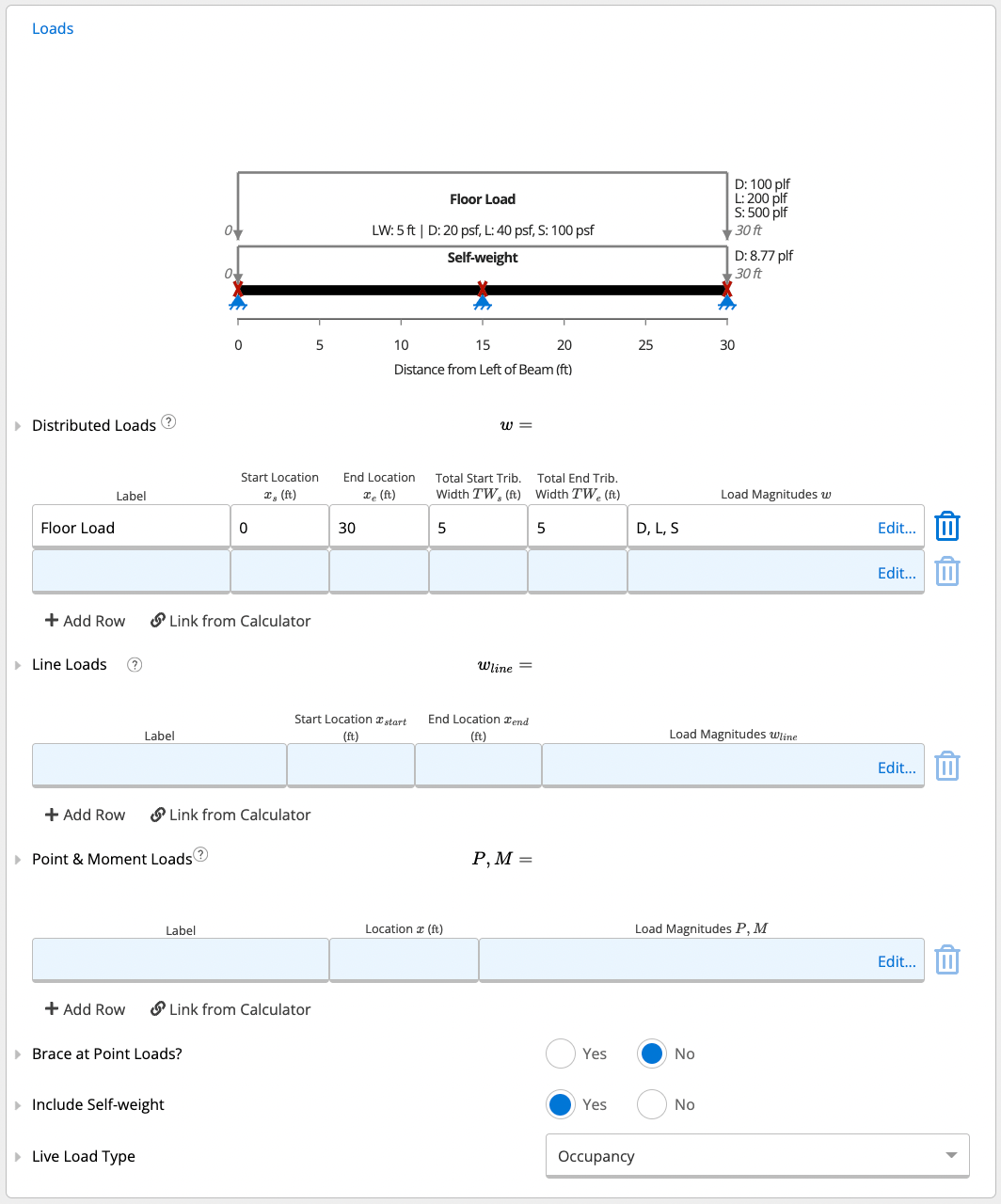
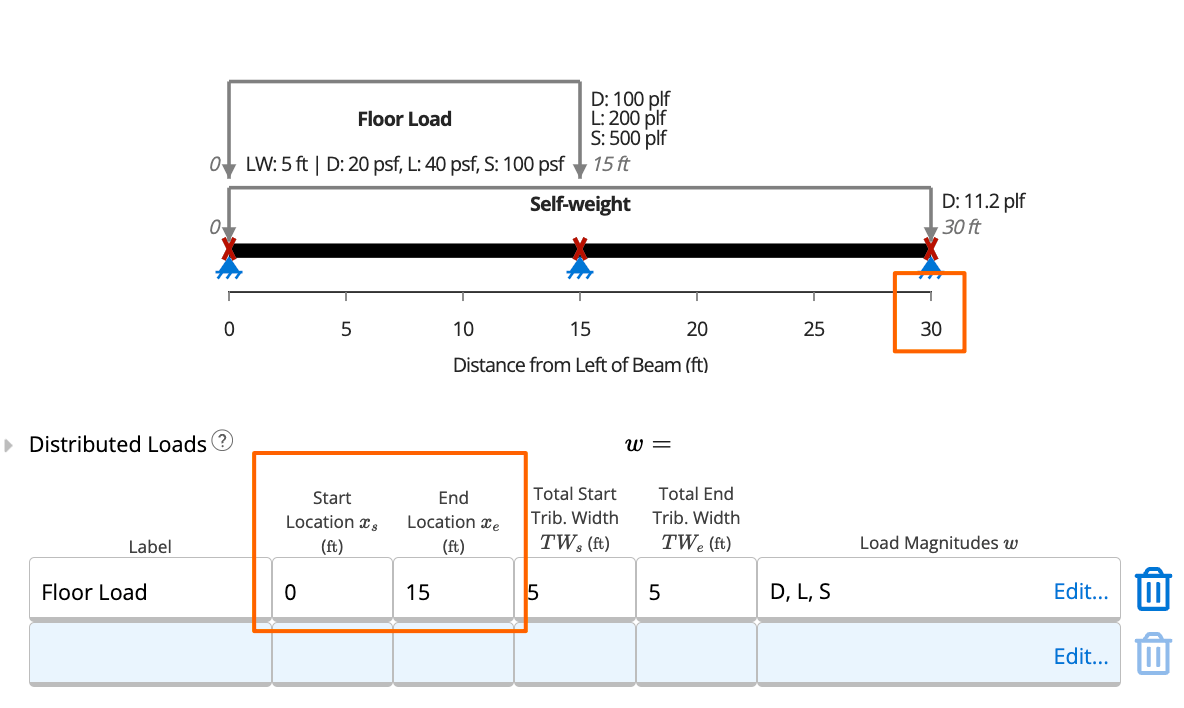
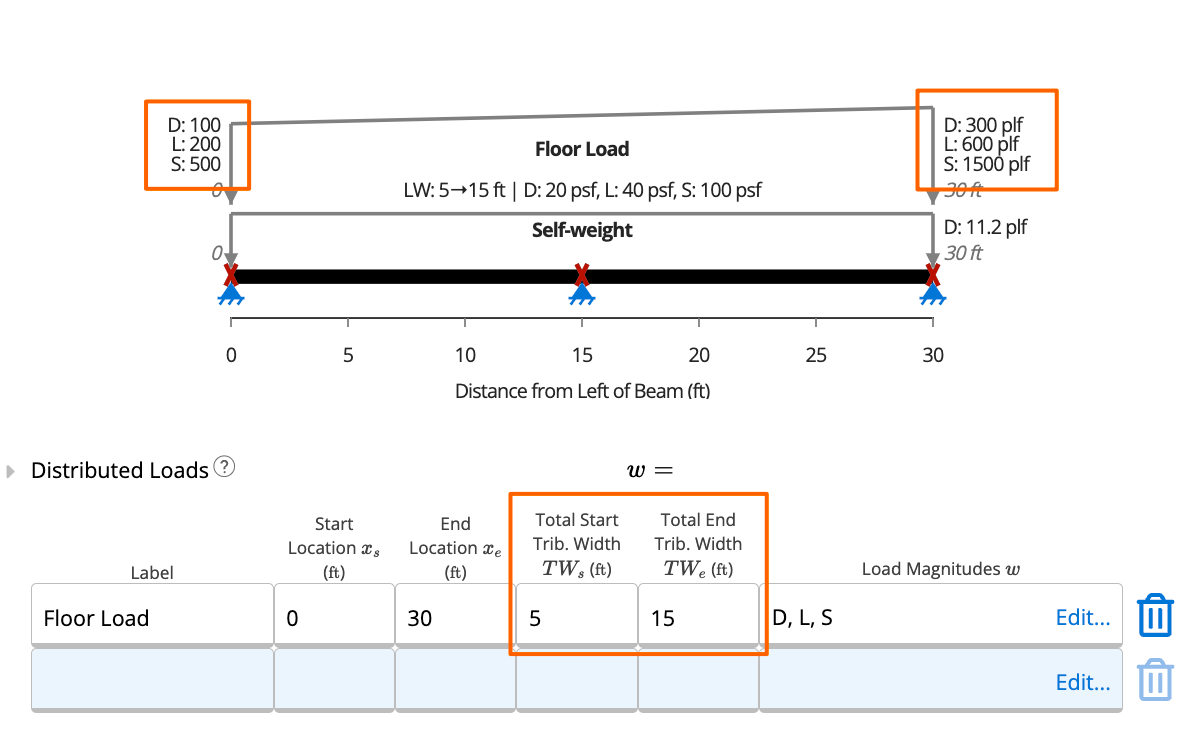
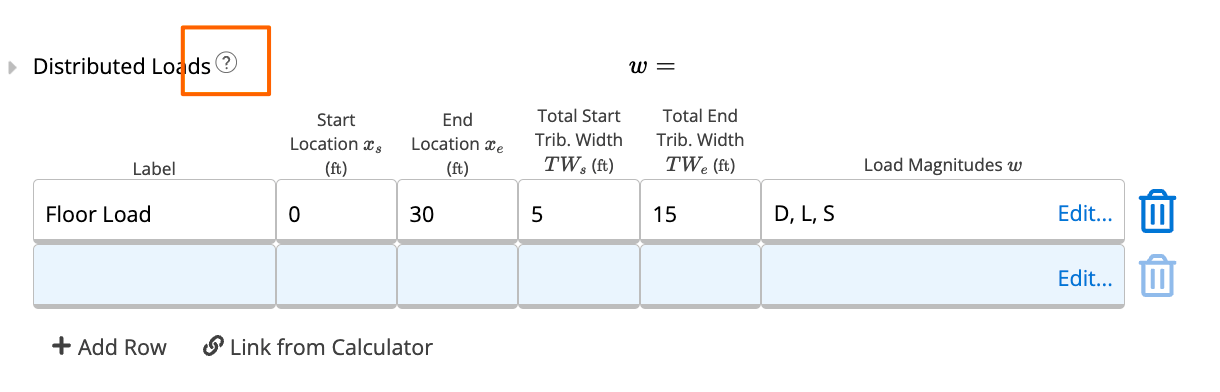
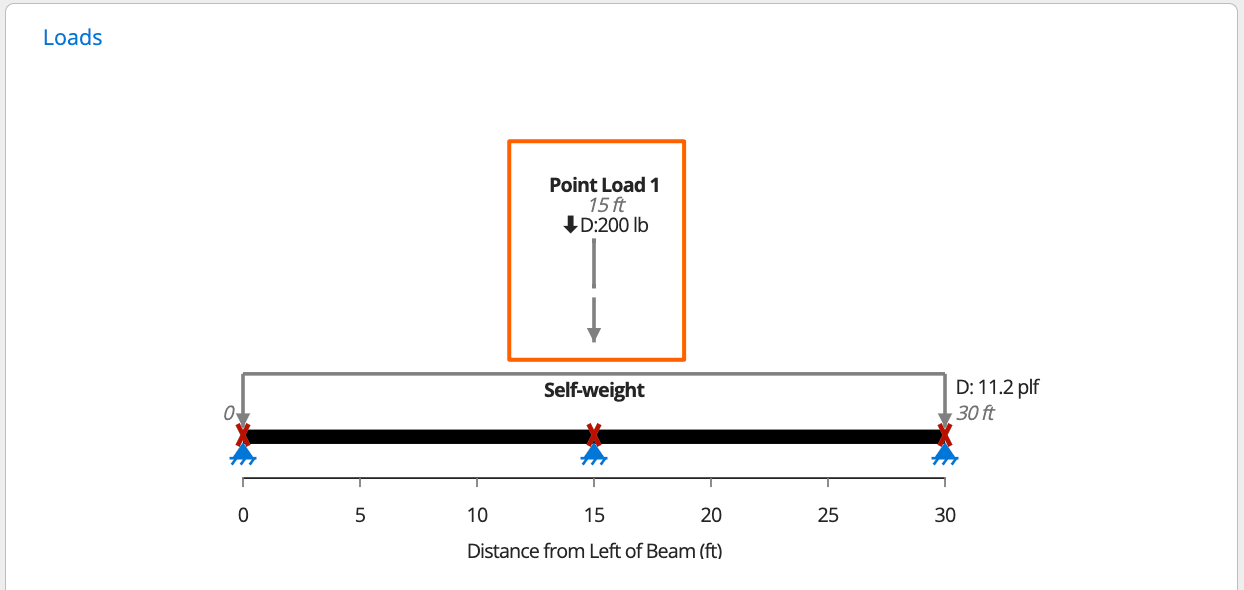
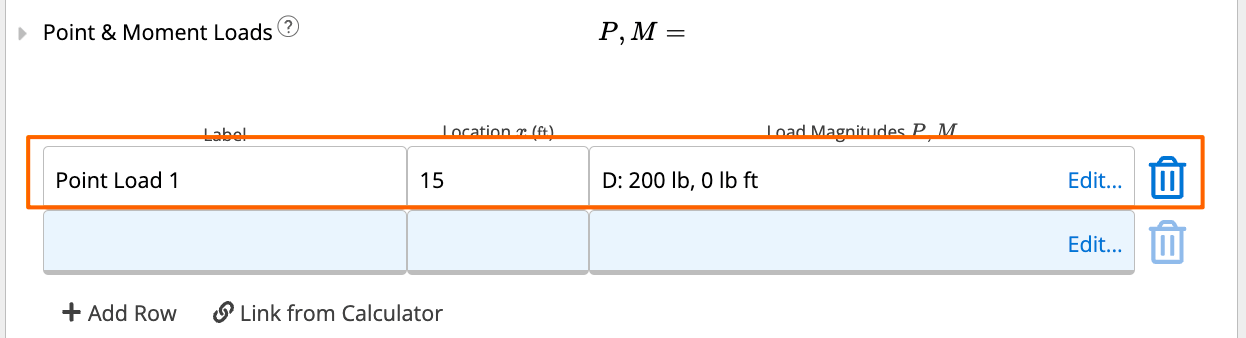
- Hover over the question mark next to “Distributed Loads” to see some additional in-app help content. Shown below in screenshots for your reference.
- Click the “+ Add Row” button to add a new row (i.e., add another load) to create an unlimited number of load combinations in ClearCallcs.
- You can add as many loads as you’d like in a Calcs.com beam calculator.
-
If you ever add a load that you didn’t mean to add - or if you want to get rid of one to see how your beam performs - simply hit the trash can icon on the right hand side of the row to delete the row.
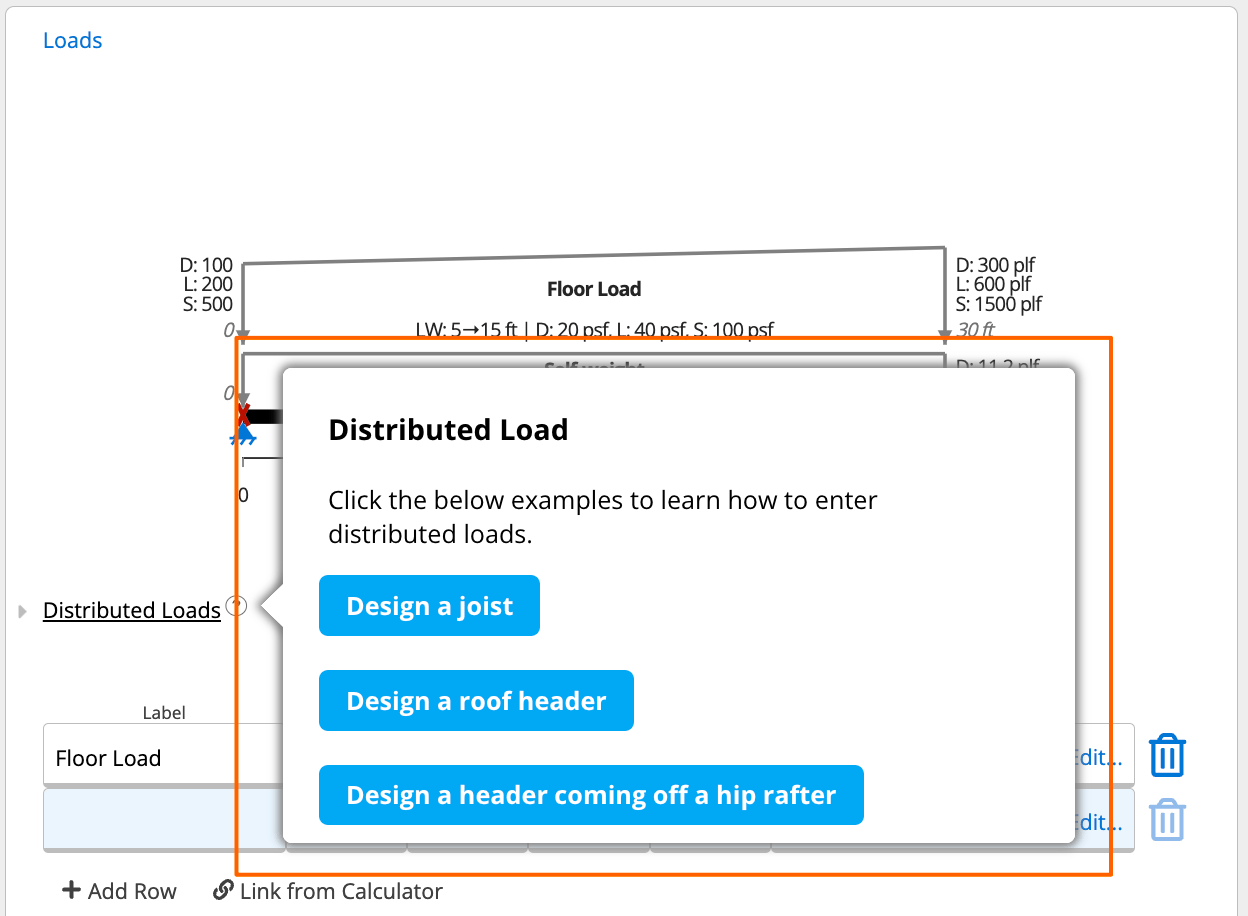
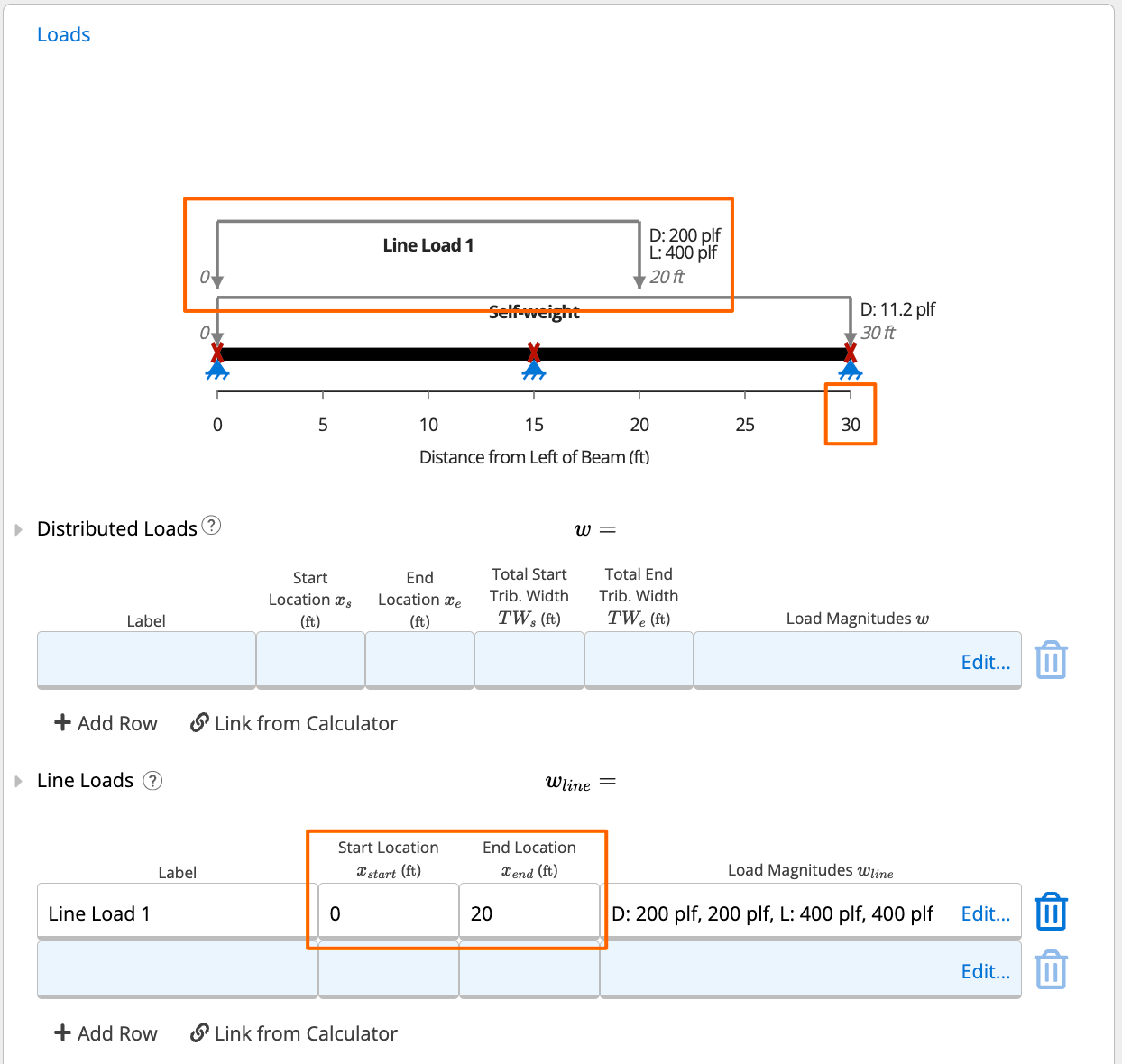
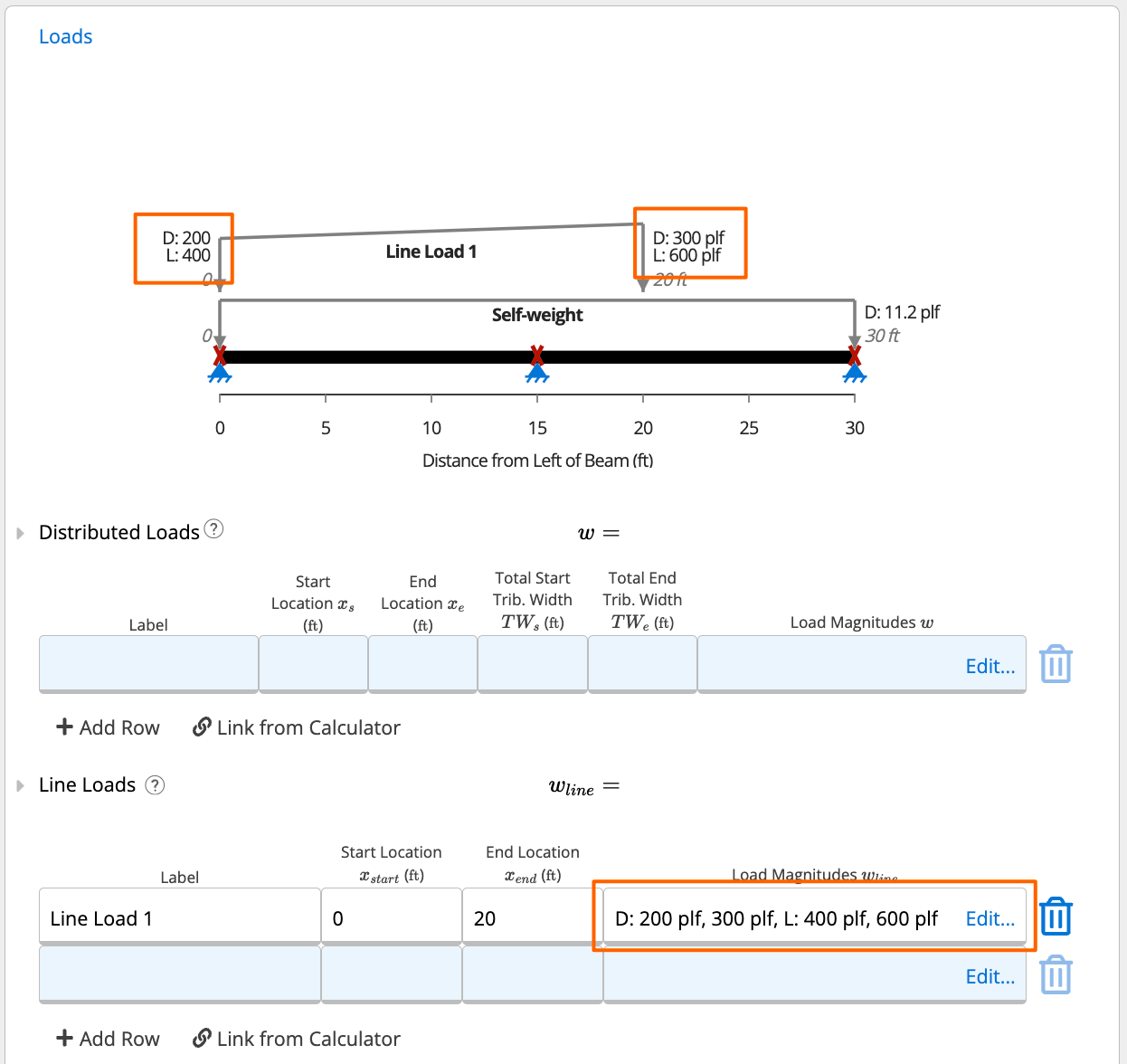
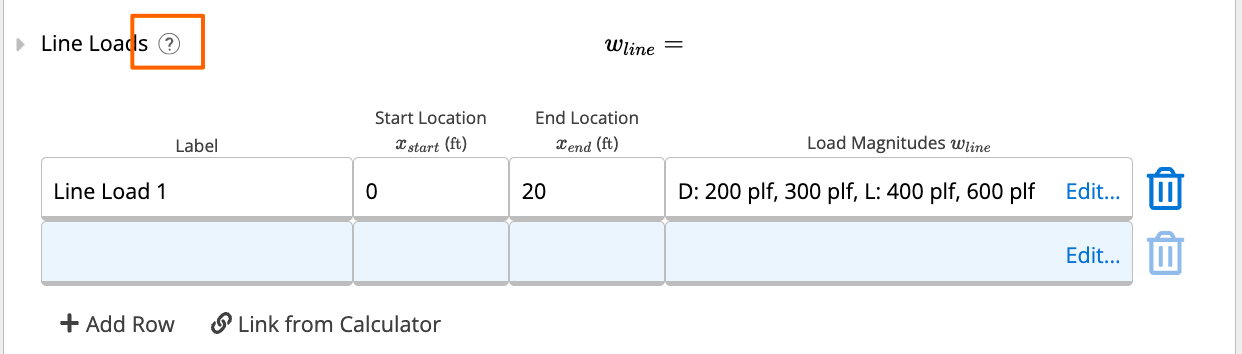
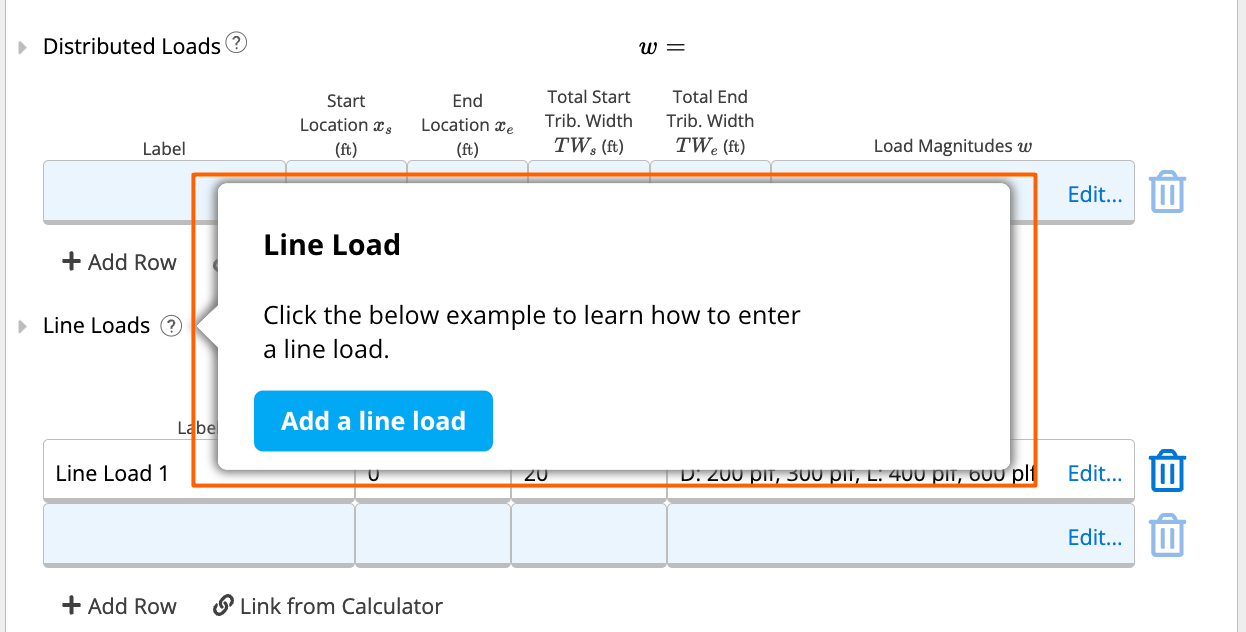
- Hover over the question mark next to “Line Loads” to see some additional in-app help content. Shown below in screenshots for your reference.
- Click that “+ Add Row” button to add a new row (i.e., add another load) to create an unlimited number of load combinations in ClearCallcs.
- You can add as many, or as little, load combinations as you’d like in a Calcs.com beam calculator.
-
If you ever add a load that you didn’t mean to add - or if you want to get rid of one to see how your beam performs - simply hit that trash can icon on the right hand side of the row to delete the row.
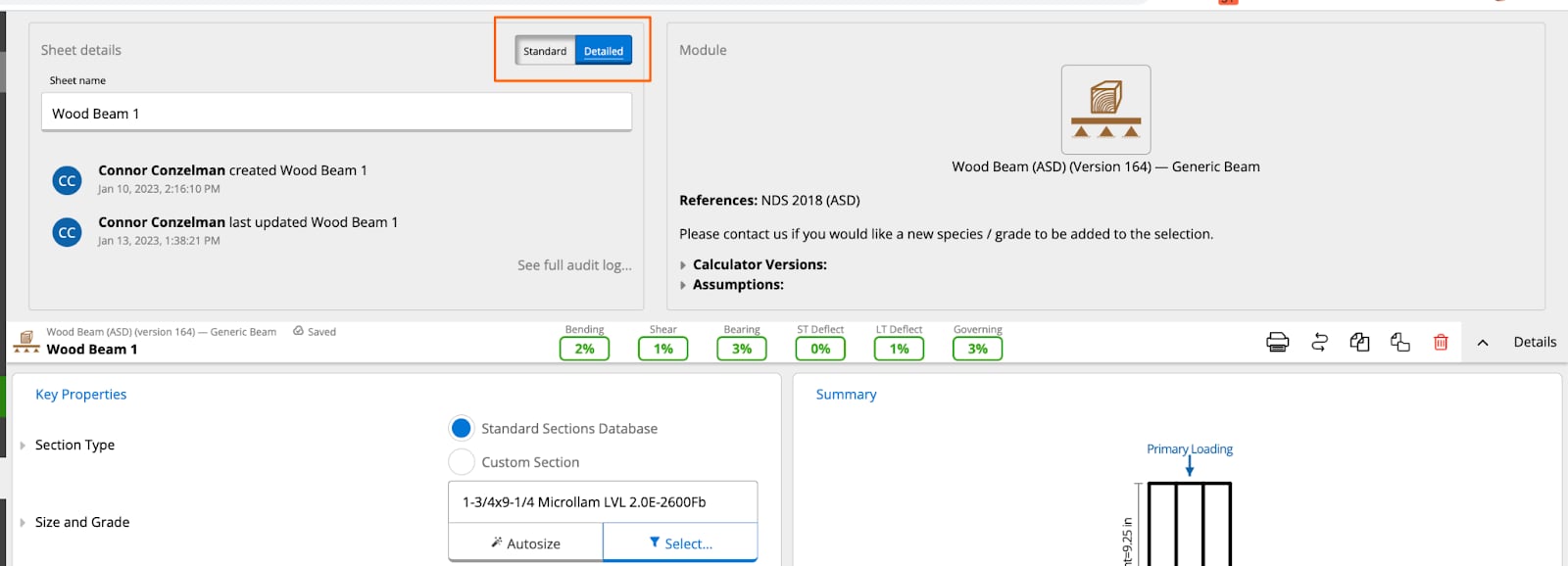
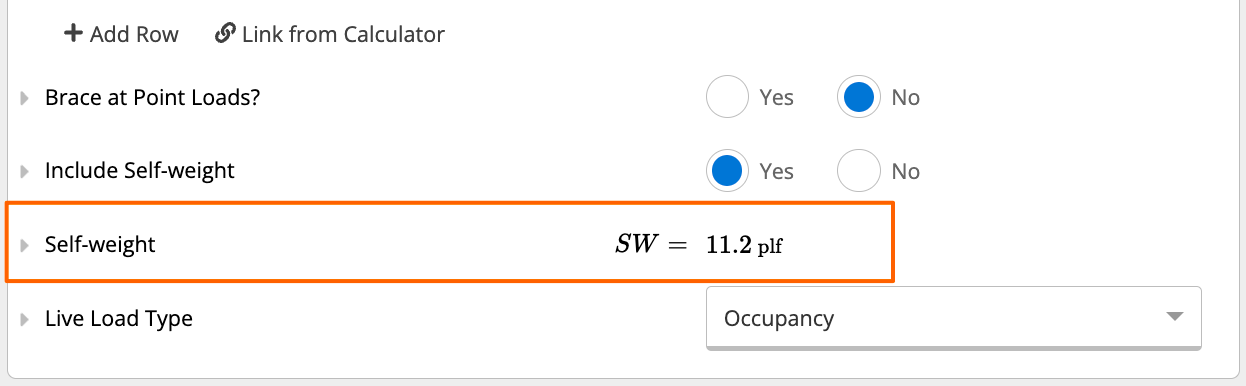
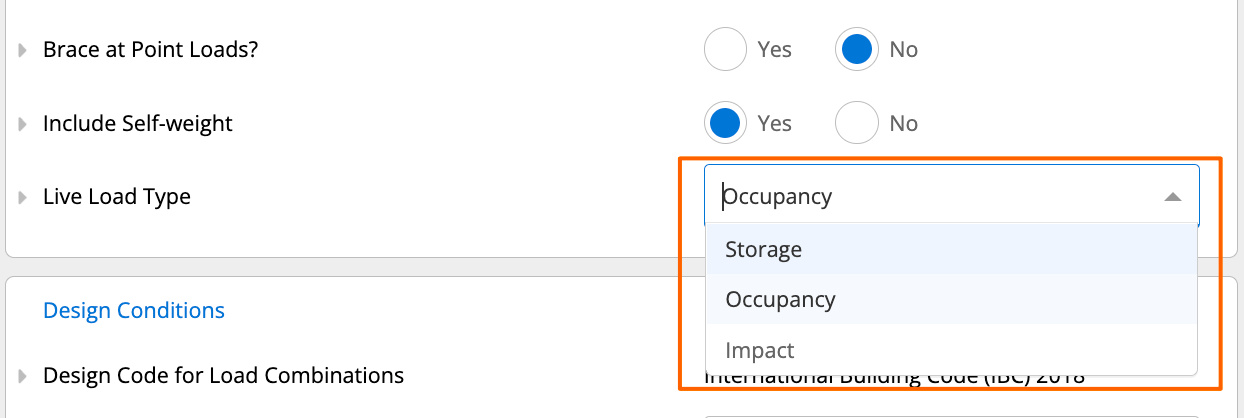
3
Design Conditions
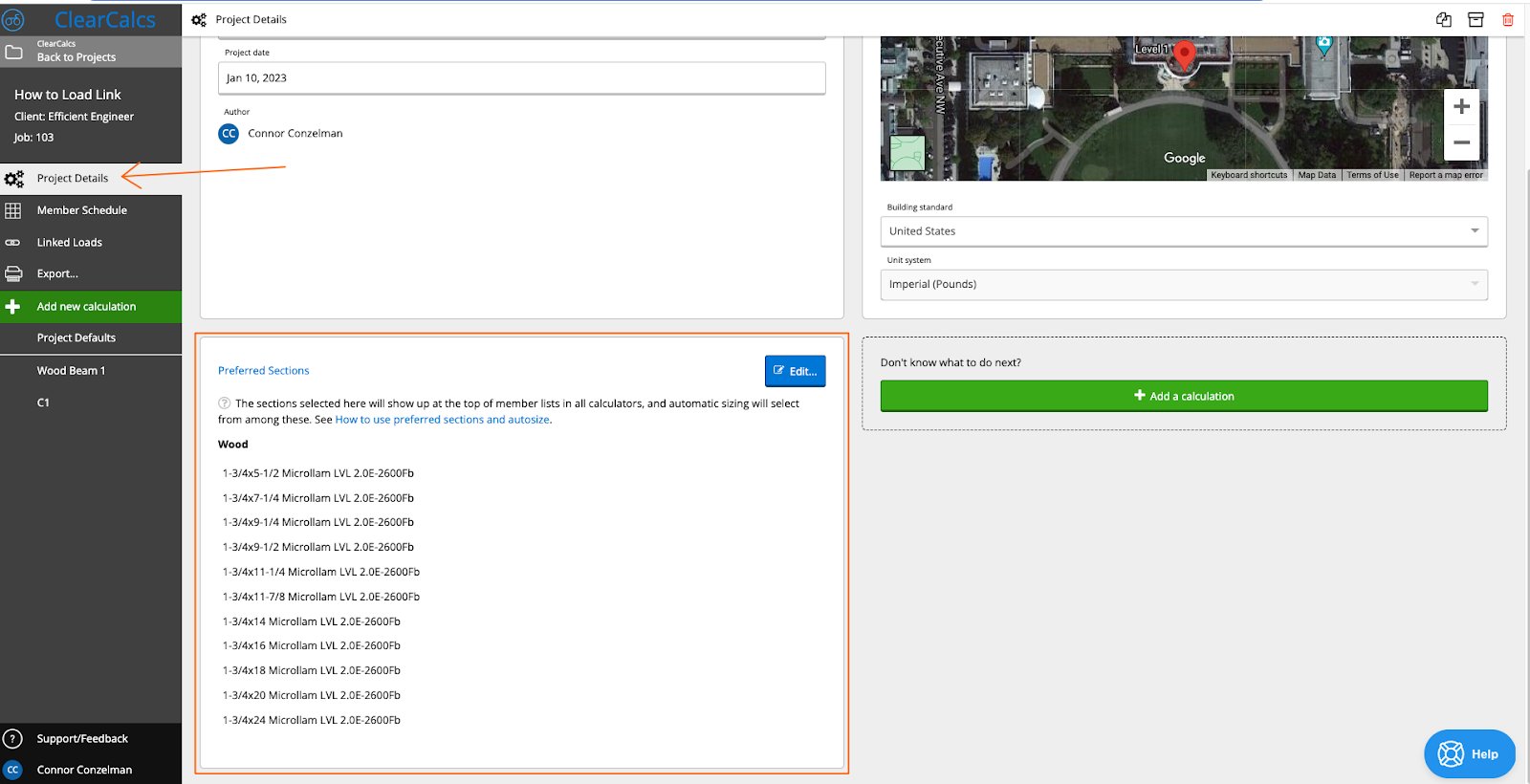
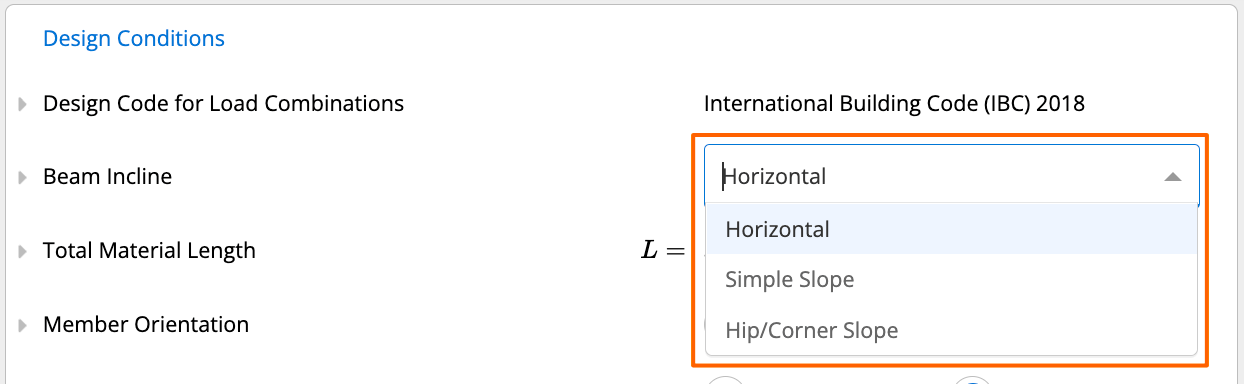
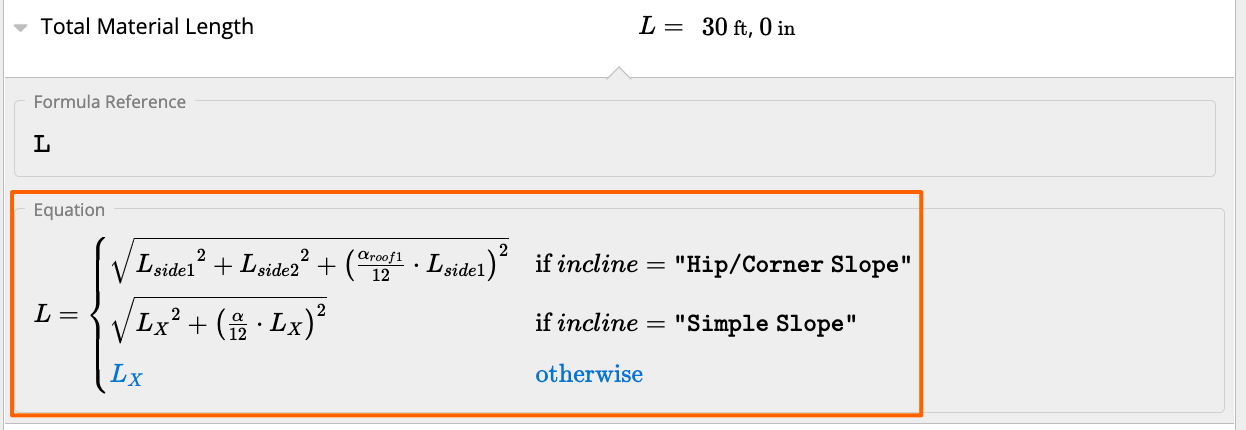
As a pro tip, you likely won’t need to change any of the inputs in this Design Conditions section of your calculator since they’re defaulting per the calculator preset you’ve selected and the design code you’ve selected. However, it’s always good practice to confirm these values and assumptions are correct for your beam.Design Code for Load CombinationsThis may be changed in the Project Defaults sheet for this project. It cannot be changed in individual calculations. See screenshot below for where you can change this in Project Defaults, and check out this article here for more information on US Project Defaults.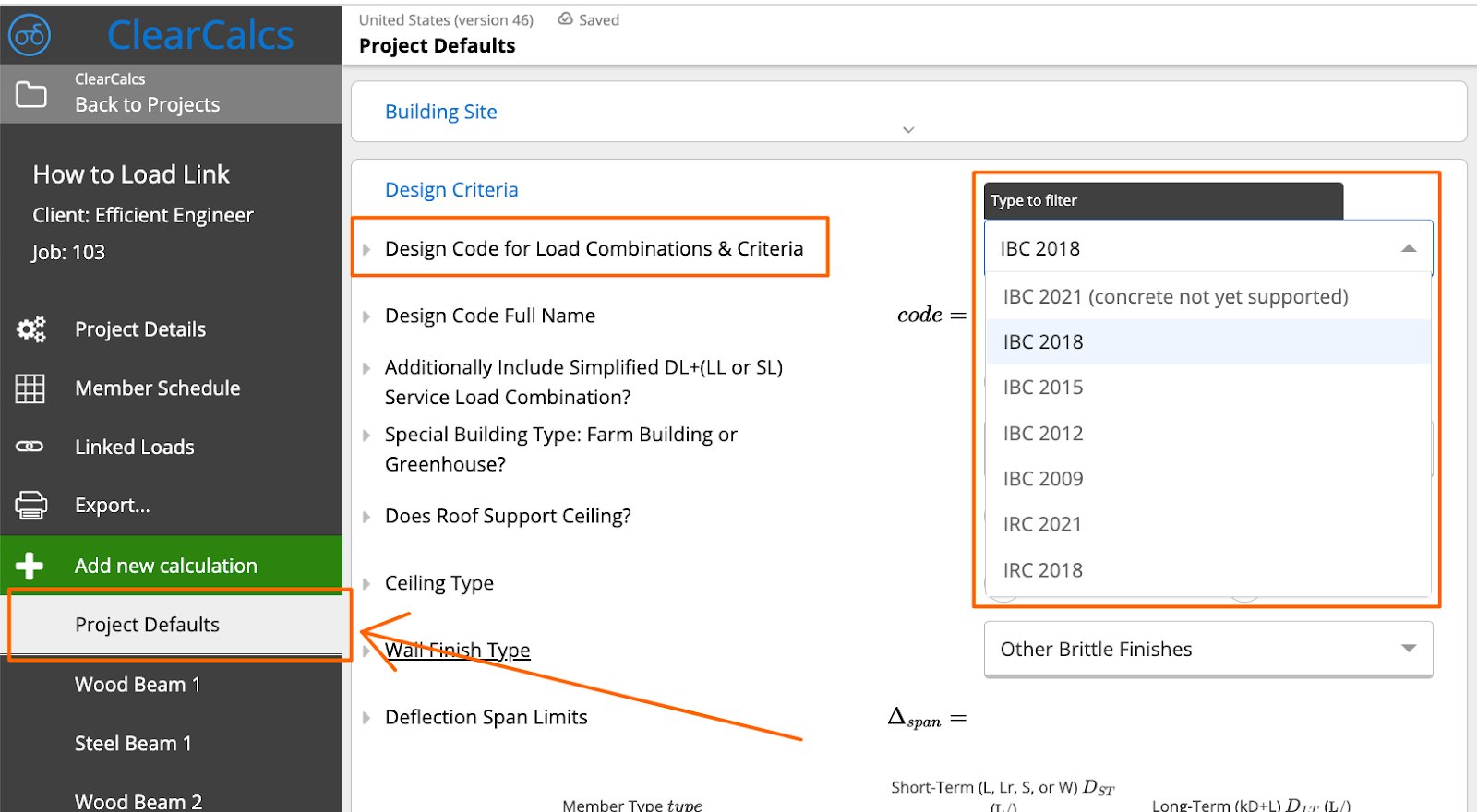

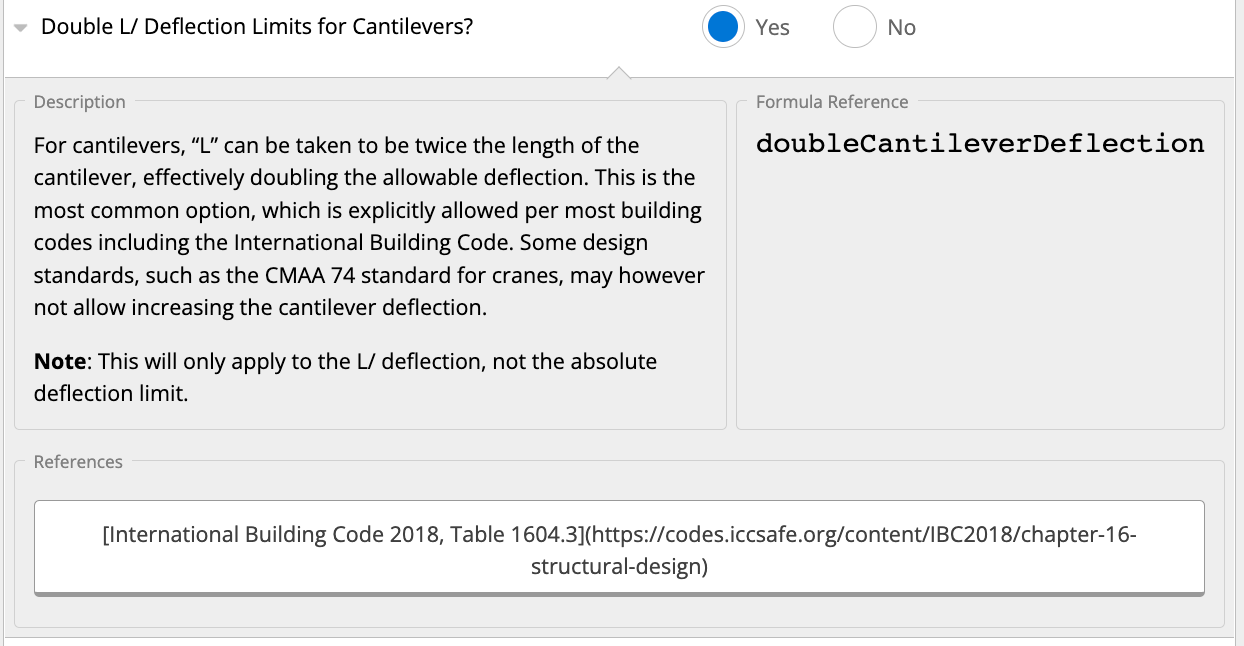
- Live and roof live load
- Snow load
-
0.42 times the ultimate wind load (the 0.42 factor converts to service-level loads)
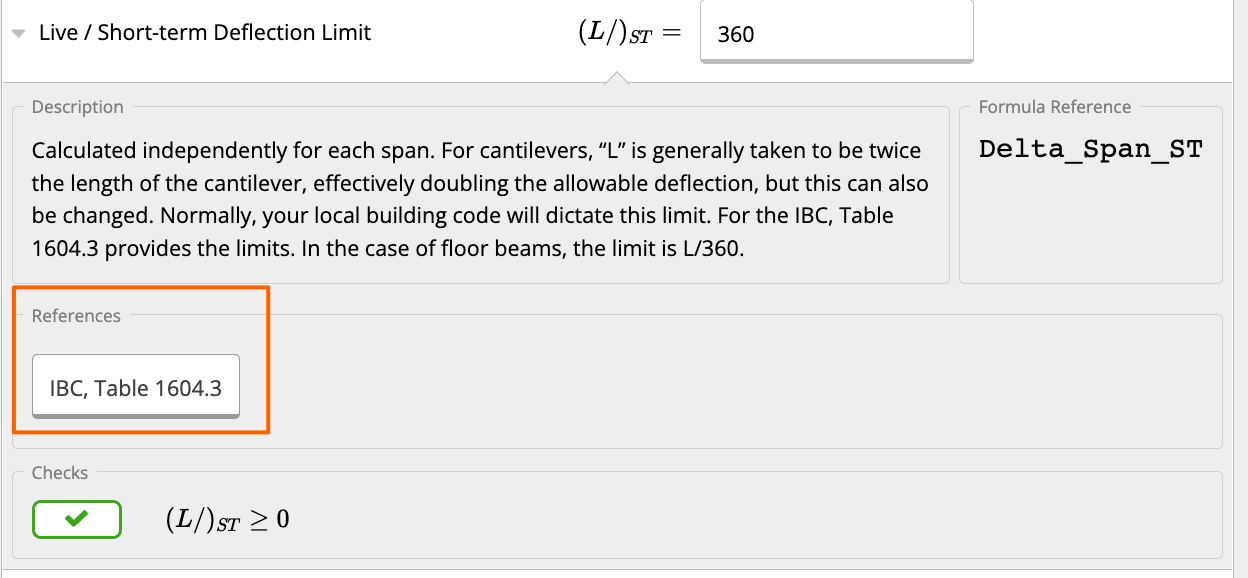
- Creep component of the dead load (50% of the instant deflection in most cases) and the full live load
4
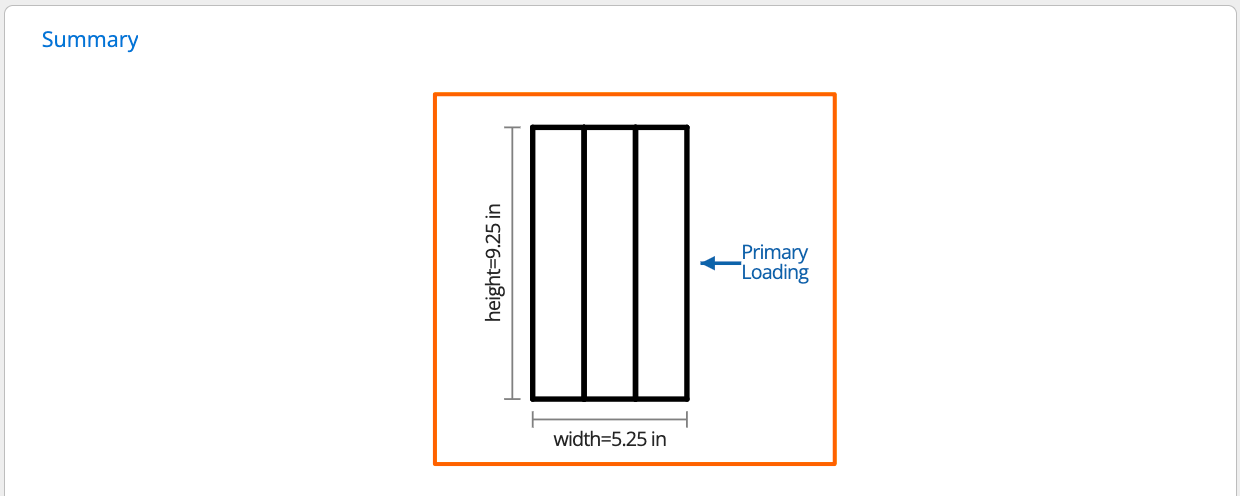
Summary
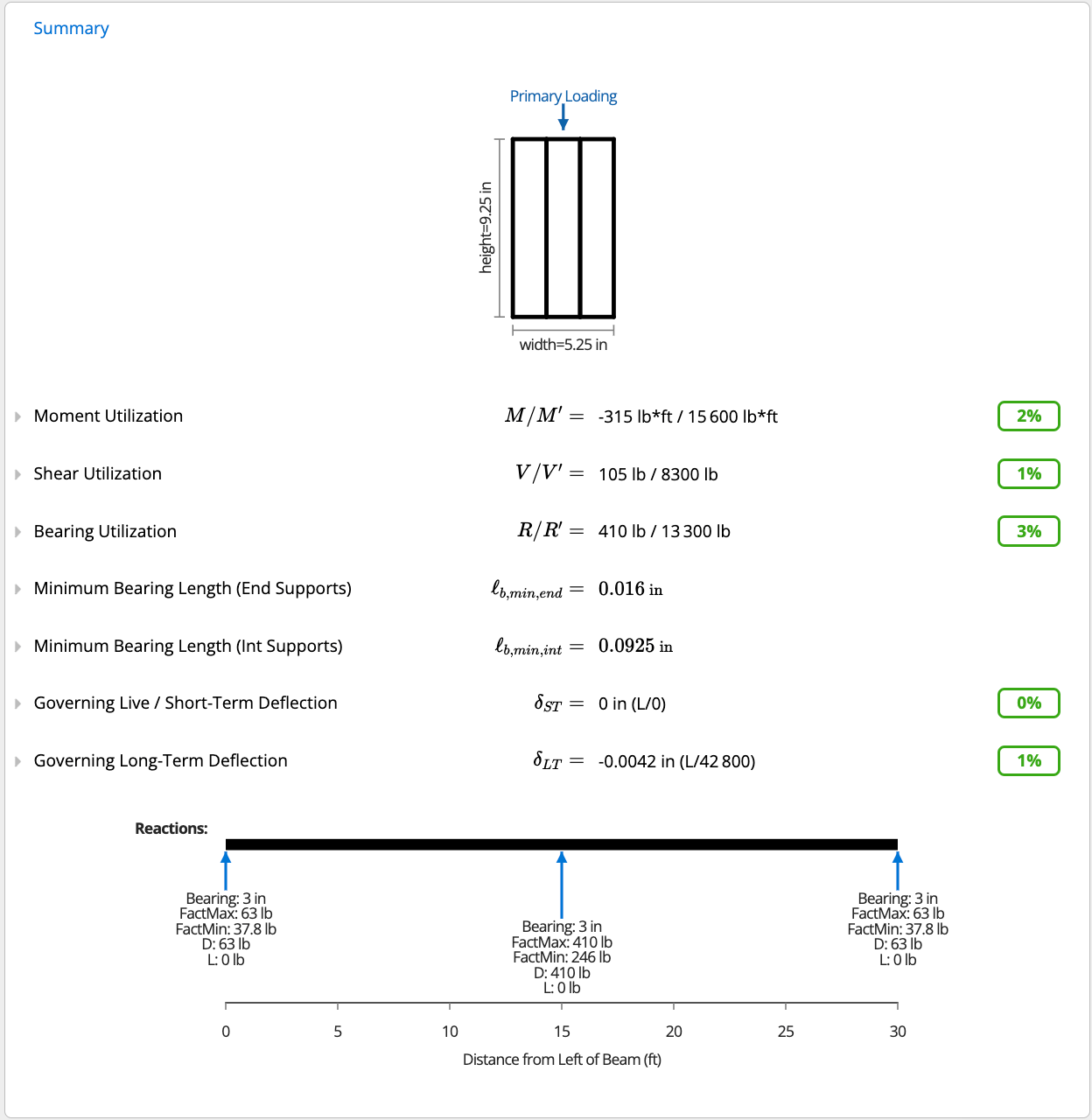
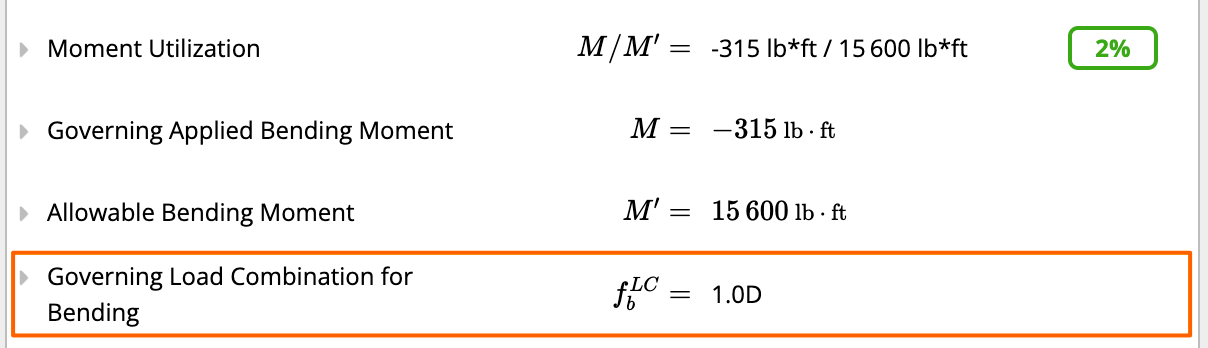
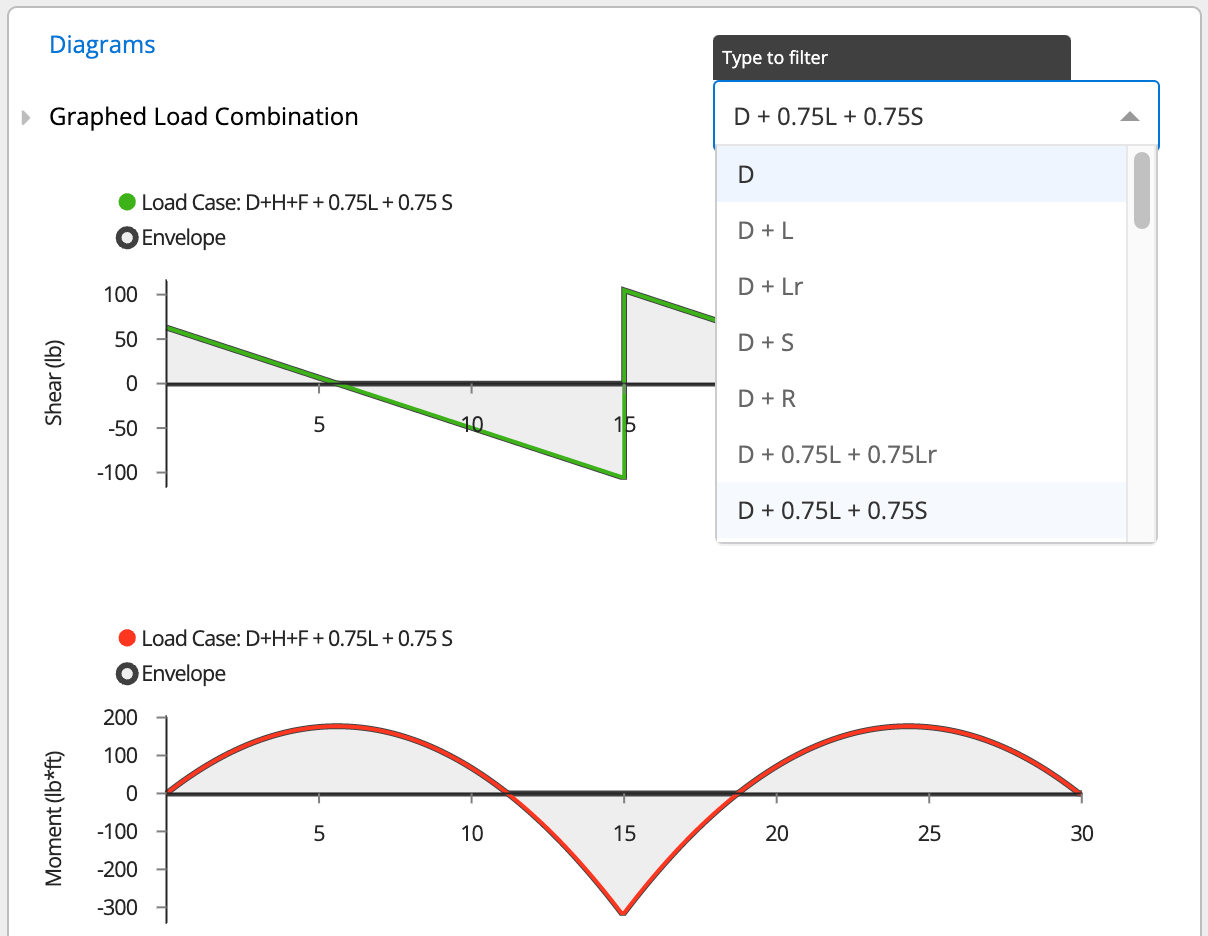
5
Selecting a Timber Species Not Listed in the Standard Database
If the species you’re after doesn’t appear in the standard Size and Grade dropdown, it isn’t necessarily unsupported. That dropdown only pulls from the built-in sized-member database, which is limited to the species/grade combinations Calcs.com stocks at nominal sizes. Several NDS species groups that don’t have a corresponding sized-member entry (for example, some cedar species groups) live only behind the Custom Section path.To reach the full NDS species picker: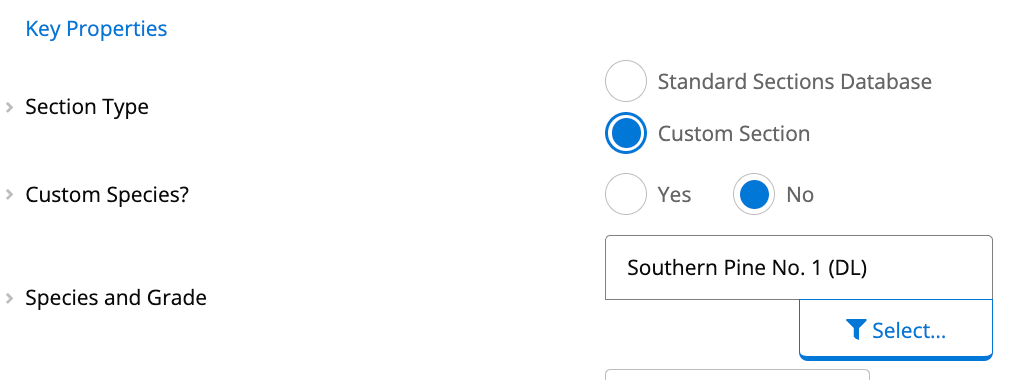
- Set Member Type to Custom Section.
- Set Custom Species? to No. This tells the calculator to use NDS reference design values rather than values you supply by hand.
- Open Species and Grade, choose the Type (for example, Dimension Lumber), then the Species group, then the Grade you need.
- Enter the actual section width and depth.
Species names in the picker follow NDS species group naming. A specific common species you’re used to seeing on a stamp may be filed under a broader group name in NDS. Check the group definition in the NDS Supplement if you’re unsure which one to pick.
Available presets
Each preset opens the calculator with a typical setup already entered.Common questions
What design method and standard does this calculator follow?
What design method and standard does this calculator follow?
This calculator uses Allowable Stress Design (ASD) per the 2024 National Design Specification for Wood Construction (NDS 2024). Reference design values are adjusted using all required NDS factors: load duration (CD), wet service (CM), temperature (Ct), size (CF), flat use (Cfu), incising (Ci), repetitive member (Cr), beam stability (CL), and volume factor (CV). Reference design values reflect the updated NDS 2024 Supplement.
What inputs does the Wood Beam ASD calculator require?
What inputs does the Wood Beam ASD calculator require?
Key inputs include beam plan length, support locations and types with bearing lengths, section type (standard from the section library or fully custom), number of plies, and applied loads (distributed, line, point, and moment). You also specify service conditions, wet or dry, temperature range, and incising treatment, and lateral-torsional bracing configuration (top face, bottom face, both, or no continuous bracing).
What checks and outputs does the calculator provide?
What checks and outputs does the calculator provide?
The calculator returns six utilization checks: bending moment (M/M’), shear (V/V’), and bearing (R/R’), each expressed as a ratio where 1.0 or less is acceptable, plus three deflection checks: short-term (ST), long-term (LT), and a simplified DL+(LL or SL) envelope. Adjusted allowable capacities account for all applicable NDS 2024 adjustment factors.
Does this calculator support multi-ply beams, flitch plates, or inclined members?
Does this calculator support multi-ply beams, flitch plates, or inclined members?
Yes. The calculator supports multi-ply beams, flitch plate composite beams (steel plates sandwiched between timber plies), and inclined beams in Simple Slope or Hip/Corner Slope configurations. For flitch beams, composite bending stiffness is derived automatically from the combined timber and steel section properties.
When should I use this instead of the NDS 2018 ASD version?
When should I use this instead of the NDS 2018 ASD version?
Use this calculator when your Authority Having Jurisdiction (AHJ) has adopted NDS 2024 or requires the latest edition. NDS 2024 includes updated reference design values for certain species and grade combinations, revised CLT provisions, and clarifications to adjustment factor procedures. If your jurisdiction still references NDS 2018, use the corresponding 2018 version to ensure code compliance.
Does this calculator support load linking with column and footing calculations?
Does this calculator support load linking with column and footing calculations?
Yes. Beam support reactions (vertical loads at each bearing point) can be linked directly to column and footing calculators in the same Calcs.com project. When span, section, loading, or service conditions change in this beam, all linked calculations update automatically, no manual re-entry of reactions. This is particularly useful for member chains where a beam frames into a column that bears on a footing, as a single load change propagates through the full load path without risk of stale values downstream.
Next steps
Use the Custom Cross Section Calculator
Analyze any arbitrary cross-section for second moments of area, section moduli, and warping and torsion constants, then link it into design calculators.
Flitch Beam Design
Add steel flitch plates to a wood beam in the Wood Beam (ASD and LRFD) NDS 2024 calculators: inputs, modular ratio, bending and shear checks.
Design a Wood Column (ASD) to NDS 2024
Design wood columns and studs to NDS 2024 (ASD), with load linking from beams and a database of US wood sections.
Design a Wood Member (Design Only - ASD) to NDS 2024
Design wood truss chords and frame members to NDS 2024 ASD. Combined axial and biaxial bending per Eq. 3.9-3, stability factor Cp, all adjustment factors.
Design a Wood Roof Tie (ASD) to NDS 2024
Design wood collar ties, rafter ties and ridge straps for gable roofs to NDS 2024 (ASD), with tie tension and all rafter limit state checks.
Design a Sloped or Angled Member
Design rafters, hip beams and other inclined members: set the slope, choose plan or inclined view, pick a load orientation, or convert lengths with formulas.
Design a Wood Beam, Including Joists, Rafters, and Ridge Beams to NDS 2018
Design simple and complex span wood joists, rafters and ridge beams to NDS with the Calcs.com Wood Beam calculator, ASD or LRFD.