

When parapet inputs appear
Include Parapets? is available when Type of Calculation is:- MWFRS (Envelope Procedure)
- MWFRS (Directional Procedure)
- Components and Cladding, but only when Individual Effective Area per Wind Zone is set to No
Inputs
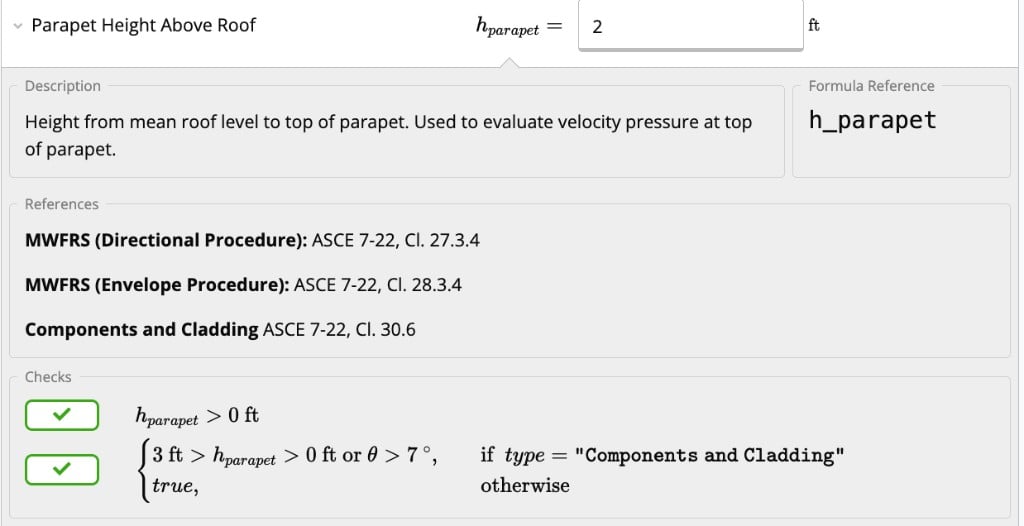
In the Parapets section, set Include Parapets? to Yes (default is No).- Parapet Height Above Roof (): height from mean roof level to the top of the parapet. The calculator uses this elevation to evaluate velocity pressure at the top of the parapet.
MWFRS parapet pressures
When parapets are enabled for MWFRS, the summary shows Parapet Wind Pressures with combined net pressures for windward and leeward faces.
Code references:
- ASCE 7-16: Cl. 27.3.4 (Directional), Cl. 28.3.2 (Envelope)
- ASCE 7-22: Cl. 27.3.4 (Directional), Cl. 28.3.4 (Envelope)
C&C parapet pressures
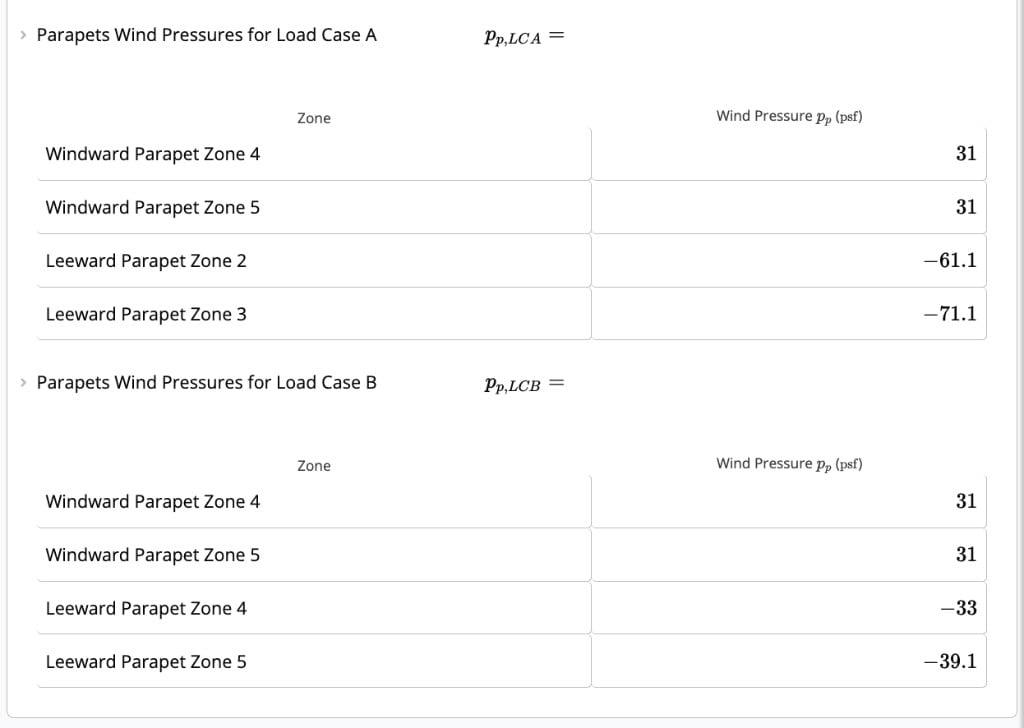
When parapets are enabled for C&C (with Individual Effective Area per Wind Zone = No), the calculator outputs:- Parapets Wind Pressures for Load Case A
- Parapets Wind Pressures for Load Case B
- Windward parapet: Zones 4 and 5
- Leeward parapet: Zones 2 and 3
- Windward parapet: Zones 4 and 5
- Leeward parapet: Zones 4 and 5
- ASCE 7-16: Cl. 30.6.1.2
- ASCE 7-22: Cl. 30.6, Eq. 30.6-1