

Running a search
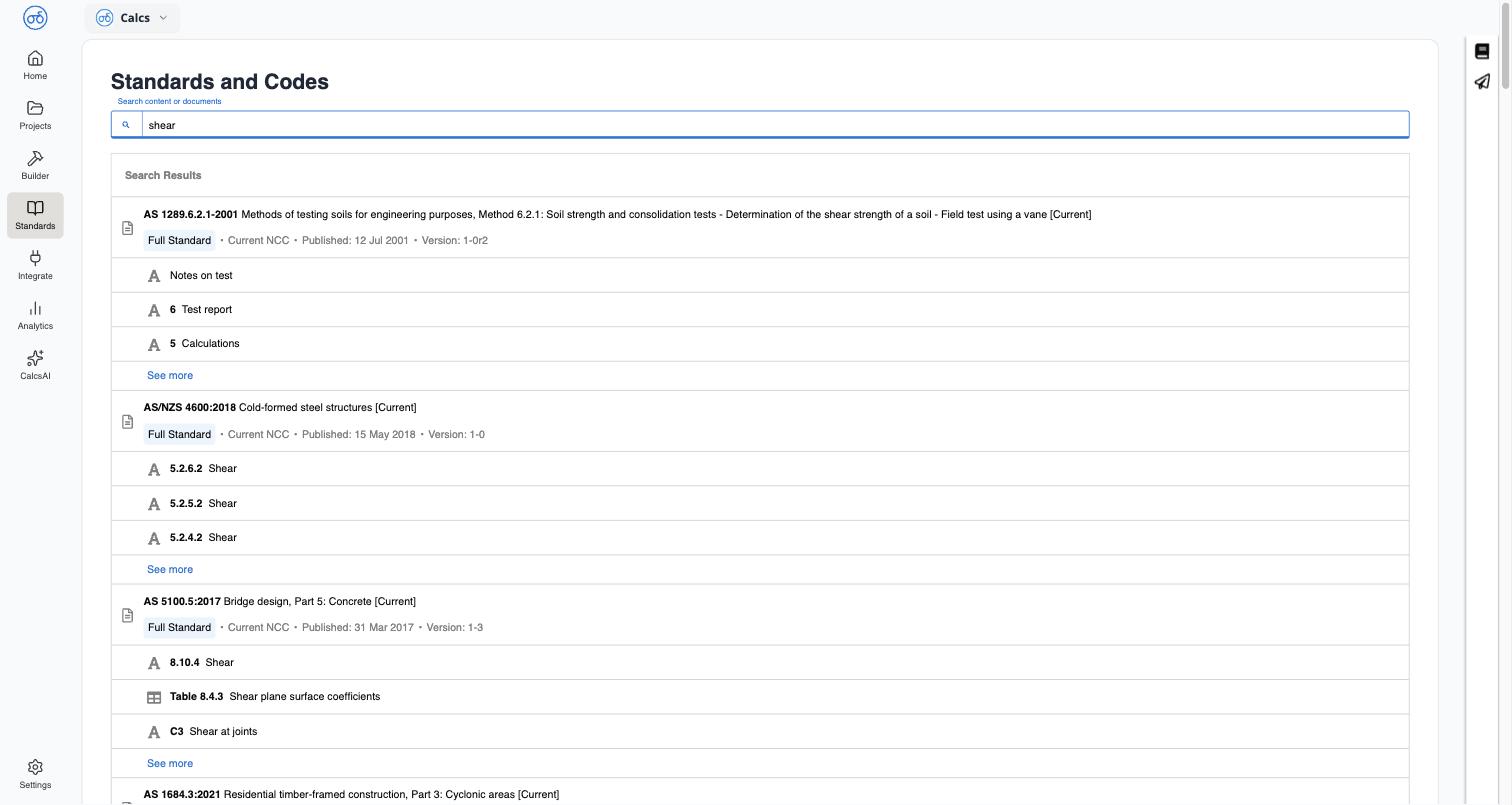
Type a term into Search content or documents: a code, a keyword, or a phrase like a check name. Results update as you type.Reading the results
Results are grouped by standard. Under each standard, you’ll see:- The standard’s designation, title, and status (for example
AS/NZS 4600:2018 — Cold-formed steel structures [Current],Full Standard, publish/version details) - The top three matching clauses or tables, each with its clause or table number and heading, for example
5.2.6.2 ShearorTable 8.4.3 Shear plane surface coefficients - A See more link if a standard has more than three matches
Related
Standards Library Overview
What the Standards Library is and where to find it
Browsing a Standard
Navigate a standard’s table of contents and read a clause