Material Changes
Calcs.com offers users the ability to change from one material to another. This functionality allows engineers to swap between different materials (e.g., timber to steel) while preserving appropriate data.A public article on how users can change materials is available at support.calcs.com.
Widget Support for Material Changes
Widget Type Compatibility
Widget Type Compatibility
Frequently Asked Questions
Q: Can you change between ASD & LRFD standards? A: Yes, however, lookups are not supported so the member selector will not be transferred.Load Combinations
Philosophy
The way load combinations are implemented follows these key principles:Project-Level Consistency
The set of load combinations used is the same for an entire project. Load combinations can only be set in Project Defaults, not overridden in individual sheets.
Flexible Selection
We provide reasonably common load combination sets that users can select from, but also allow completely custom load combinations.
Solver-Based Factoring
All factoring of loads per load combinations happens in the solver, regardless of whether FEA is needed in a given template.
Split Factor Levels
Load factors are split between project and template levels - how to apply factors is defined at project level, but the values are defined at template level.
Implementation Structure
Working from project level downwards, here’s how load combinations are implemented:Project Defaults
1. Hard-coding Load Types:loadTypesBase2
We hard-code the load types in Project Defaults and pass them through. When we eventually allow user customization of load types, the structure is already in place.
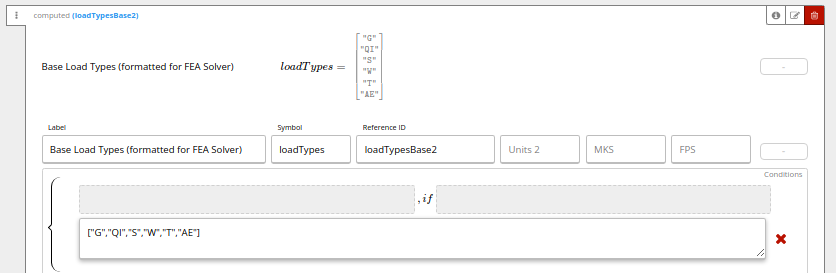
combConc2: Hard-coded load types that should always be combined into a single load type- Currently used in Australia and New Zealand for distributed vs concentrated live loads
- Example:
["Q_dist", "Q_conc"]
LCs_str_type
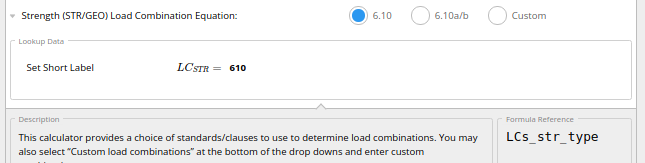
LCs_str2: The load combinations to be passed to the solver in every sheetLCFact_str2: The set of mappings for how to apply load combination factors
LCFact_type
The set of load combination factors to use (e.g., various ψ factors in Eurocode that can be customized in National Annexes).

Template Level Implementation
1. Pass-Through Values Templates pass through these values from Project Defaults unchanged:- Load types:
loadTypesBase2 - Concurrent load types:
combConc2 - Load combinations:
LCs_str2 - Factor application instructions:
LCFact_str2
LCFact_DB
Load combination factor values can be passed through or modified within individual templates.
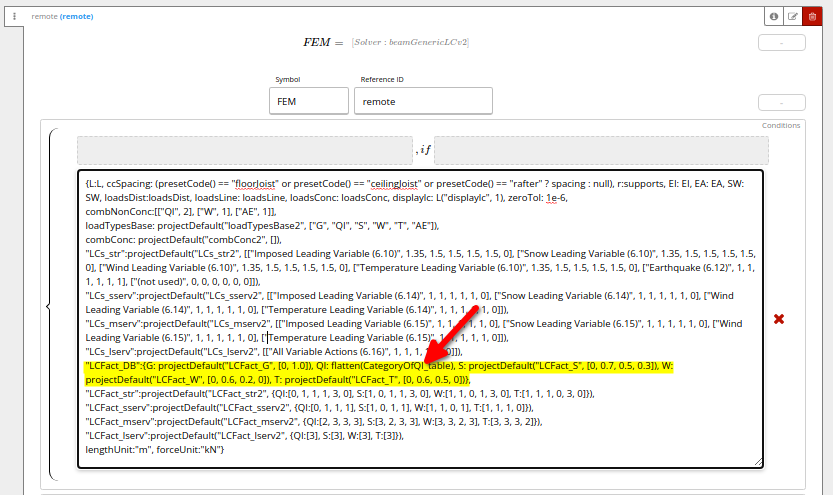
Load Combination Factors: LCFact_*
Structure
The instructions on how to apply load combination factors are separate from the values of the factors.Values of Load Combination Factors: LCFact_DB
Two types of load combination factors:
- Load-type specific factors: Set as
load_type: [array] - Universal factors: Set as
all_x: [array](applied to all load types)
How to Apply Factors: LCFact_str
Instructions on factor application passed in LCFact_str parameter:
- MUST be an array of length equal to the number of load combinations
- Values are indices for corresponding values in
LCFact_DB(first item is index=0)
Example: Snow Load Combination Factor
Setting up factor values inLCFact_DB:
LCFact_str:
- 0.7 factor to load combinations 1, 3, and 4
- 0.3 factor to load combination 5
- No factor to load combinations 2 and 6
Load Combinations FAQ
Common Questions
Common Questions
Why is this so complicated?We used to have separate solvers for each building standard with hard-coded load combinations. This was unwieldy and required dev deploys for bug fixes. We unified everything into one solver, but the price is increased parameter complexity.Why use
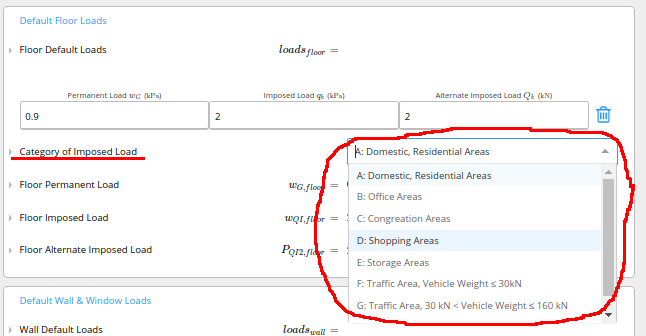
LCFact_* instead of multiplying factors directly into LCs_*?For most load factors, whether to apply them and what specific value to use can vary within a building. Load combinations are set at project level, but factors can be adjusted in each sheet. For example:- Most of a house might have ‘residential/domestic’ character of imposed load
- The roof will have a different character of imposed load
- Stairs might be different for duplex houses
Units System
Unit Field Conventions
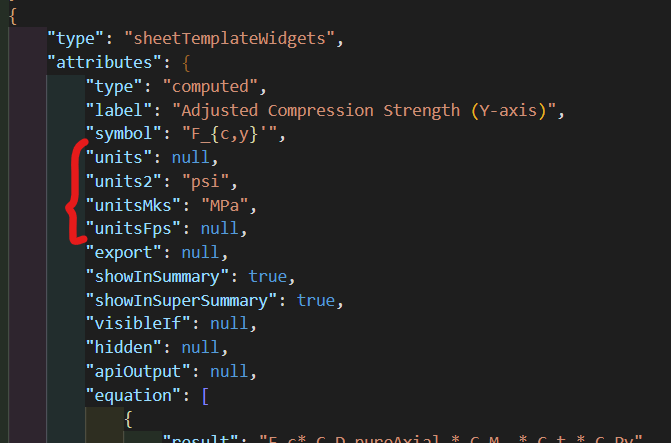
This video explains the main differences between unit fields:
units, units2, unitsMks, unitsFps.- units2
- unitsMks
- unitsFps
Forces in kips