> ## Documentation Index
> Fetch the complete documentation index at: https://calcs.com/docs/llms.txt
> Use this file to discover all available pages before exploring further.
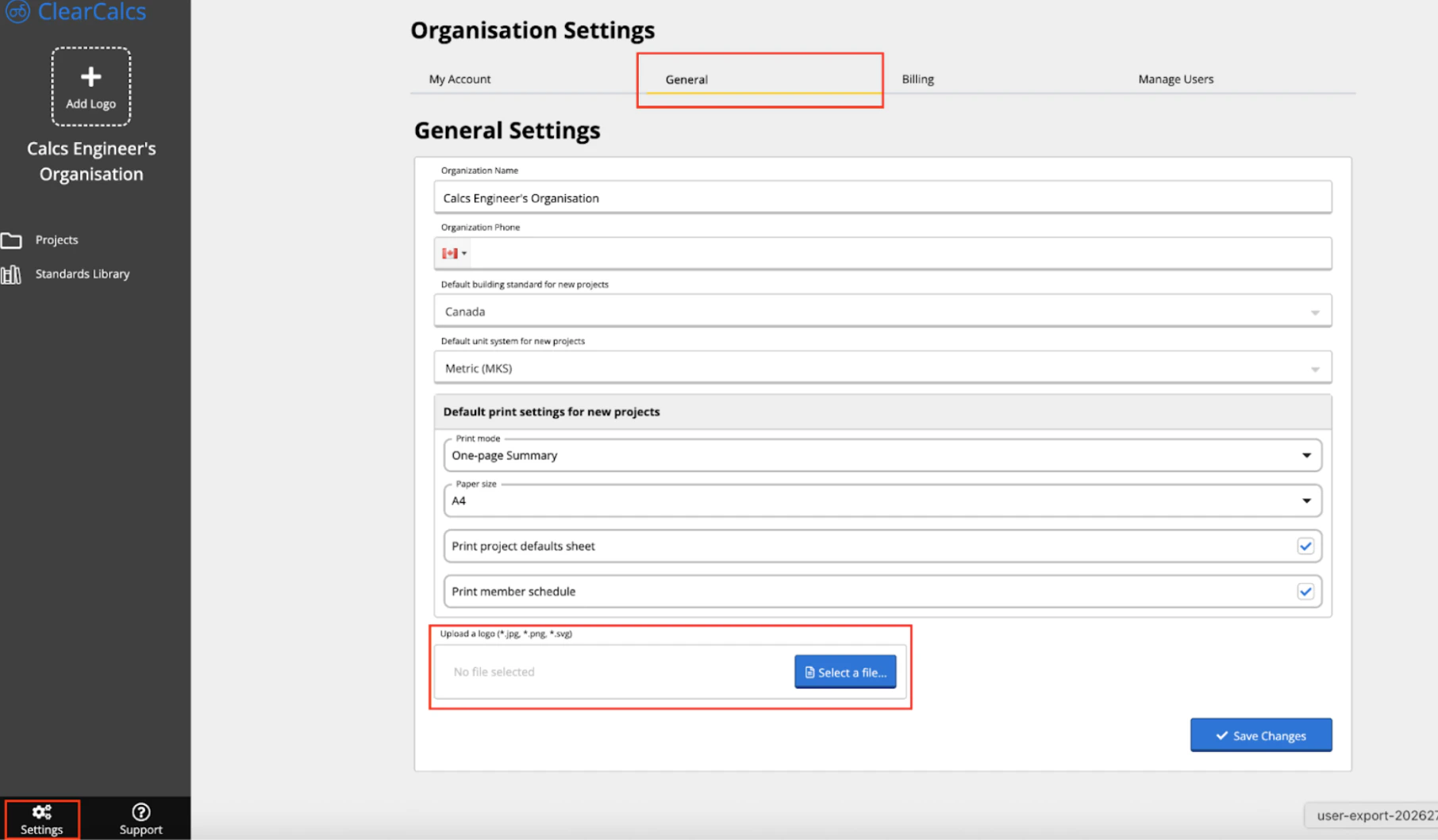
# Change Your Company Logo
To change the logo of your [Calcs.com](http://Calcs.com) organization, you can find these in the “General” tab of the settings. Please note that only admins of your account have access to change this logo. Don’t forget to select “Save Changes" when adjusting any organization settings!
 ## Frequently asked questions
Yes. Reports include your firm name and details. For team and enterprise plans, custom logo placement is available.
## Frequently asked questions
Yes. Reports include your firm name and details. For team and enterprise plans, custom logo placement is available.