> ## Documentation Index
> Fetch the complete documentation index at: https://calcs.com/docs/llms.txt
> Use this file to discover all available pages before exploring further.
# Export a Project to PDF
> Export every calculation in a project to one PDF from the Export button in the sidebar.
When you're ready to export your work to print or PDF, select the **Export** button in the left-hand sidebar. You can export the entire project, or select specific sheets to include.
To print one page per calculation, select the **Summary** print mode.
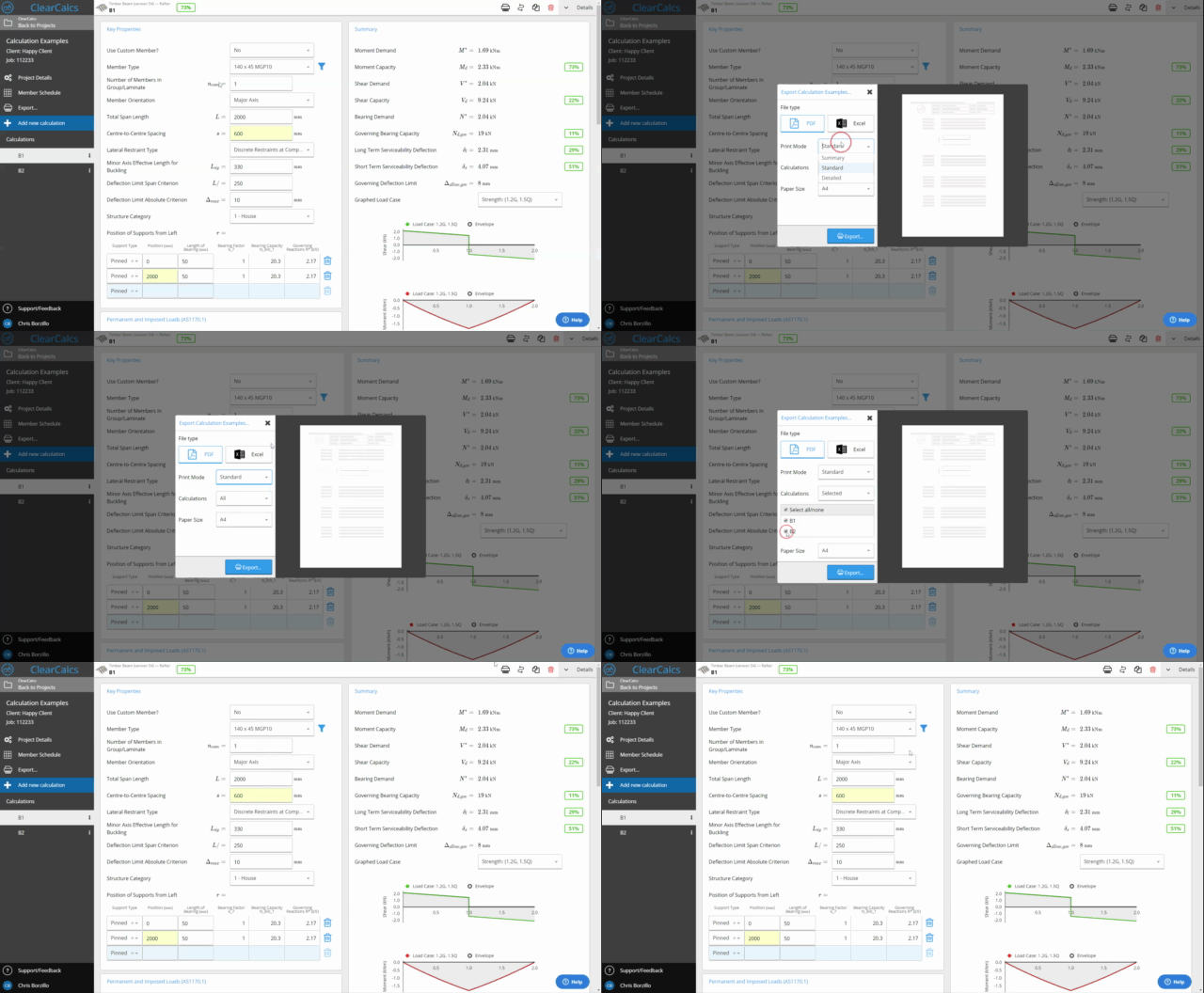 The paper size, print mode, project defaults cover page and member schedule that each export starts with come from your organization's default print settings. See [Change Default Print Settings](/docs/settings/organization-settings/change-default-print-settings).
## Frequently asked questions
Each report includes the project name, engineer's details, calculation inputs, the full formula derivation with standards references, and the final result. The standard and version used are shown on the cover.
Calcs.com exports calculation reports as PDFs. The reports are structured and formatted for submittal, so most engineers find they no longer need the Word editing step that Tedds output typically requires.
## Related
* [Export a Single Calculation to PDF](/docs/running-calculations/exporting-reports/export-single-calculation-pdf)
* [Export a Member Schedule to Excel](/docs/running-calculations/exporting-reports/export-member-schedule-excel)
* [Change Default Print Settings](/docs/settings/organization-settings/change-default-print-settings)
* [Views and Export](/docs/running-calculations/exporting-reports/views-and-export)
The paper size, print mode, project defaults cover page and member schedule that each export starts with come from your organization's default print settings. See [Change Default Print Settings](/docs/settings/organization-settings/change-default-print-settings).
## Frequently asked questions
Each report includes the project name, engineer's details, calculation inputs, the full formula derivation with standards references, and the final result. The standard and version used are shown on the cover.
Calcs.com exports calculation reports as PDFs. The reports are structured and formatted for submittal, so most engineers find they no longer need the Word editing step that Tedds output typically requires.
## Related
* [Export a Single Calculation to PDF](/docs/running-calculations/exporting-reports/export-single-calculation-pdf)
* [Export a Member Schedule to Excel](/docs/running-calculations/exporting-reports/export-member-schedule-excel)
* [Change Default Print Settings](/docs/settings/organization-settings/change-default-print-settings)
* [Views and Export](/docs/running-calculations/exporting-reports/views-and-export)