> ## Documentation Index
> Fetch the complete documentation index at: https://calcs.com/docs/llms.txt
> Use this file to discover all available pages before exploring further.
# Change Material
> Swap a calculator to a different material, keeping loads, configuration and load links intact.
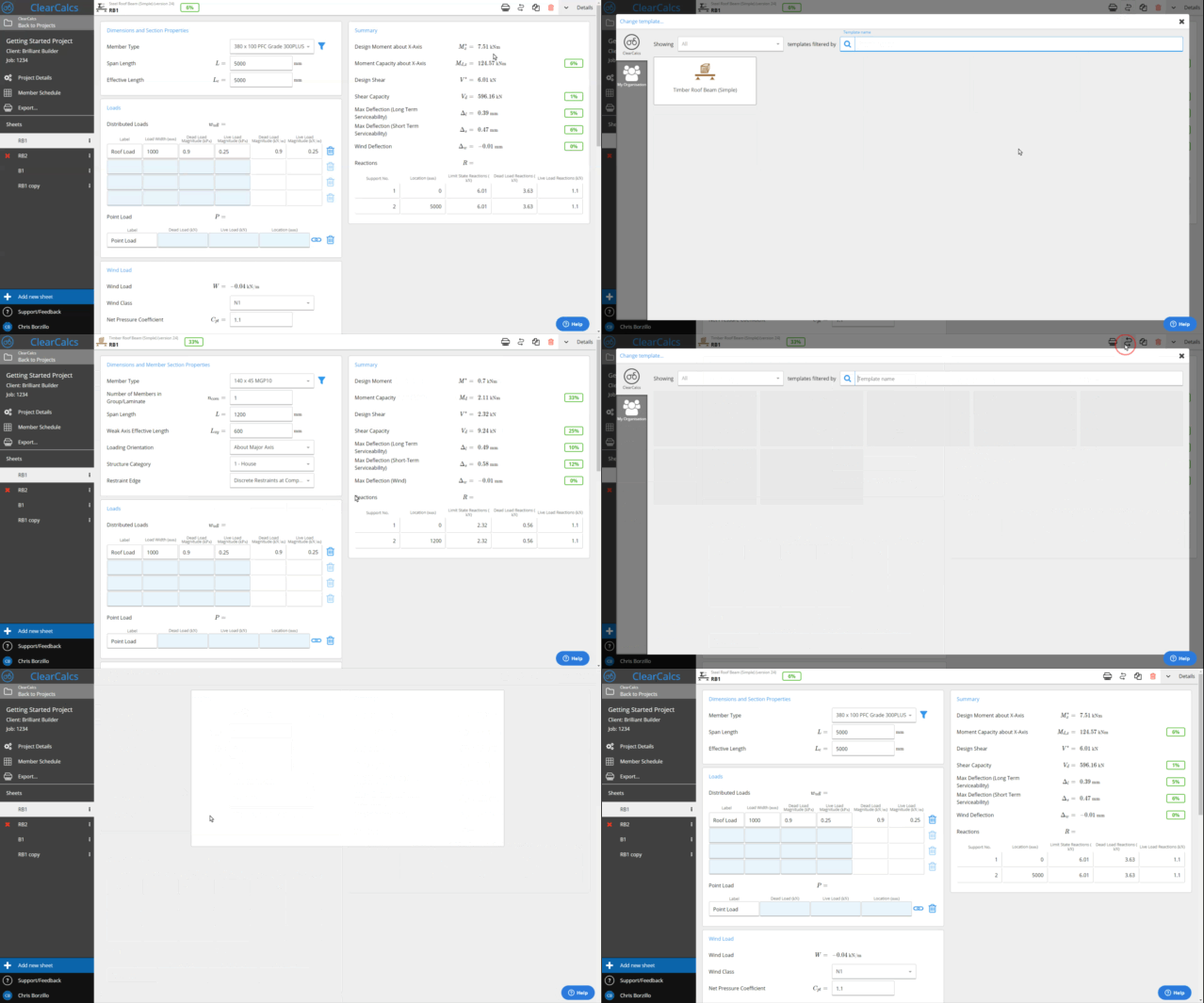
If you've finished a calculation (e.g. a wood beam) and want to see the same setup with a different material, use **Change material** in the top sidebar. Select another calculator (e.g. Steel beam). Loads and configuration are preserved; only the material and designation change. Load links (e.g. to a column) continue to work, so you don't need to redo the link.
## Example: swap modules between timber and steel
Sometimes you'll be designing in timber and realize you need to swap over to steel, or vice versa. Calcs.com makes this transition easy - simply click the **change material button** on the top right of the screen and you can choose the module you'd like to swap to. All of your inputs and linked sheets will be kept so there's no time wasted retyping.
 ### Frequently asked questions
Calcs.com supports switching between timber, structural steel, cold-formed steel, and concrete sections within applicable beam and column calculators. Available materials depend on the calculator type.
### Frequently asked questions
Calcs.com supports switching between timber, structural steel, cold-formed steel, and concrete sections within applicable beam and column calculators. Available materials depend on the calculator type.