> ## Documentation Index
> Fetch the complete documentation index at: https://calcs.com/docs/llms.txt
> Use this file to discover all available pages before exploring further.
# New Look Calcs.com: September 22, 2026
> A new look for Calcs.com: a rebuilt left menu, top bar, and right panel.
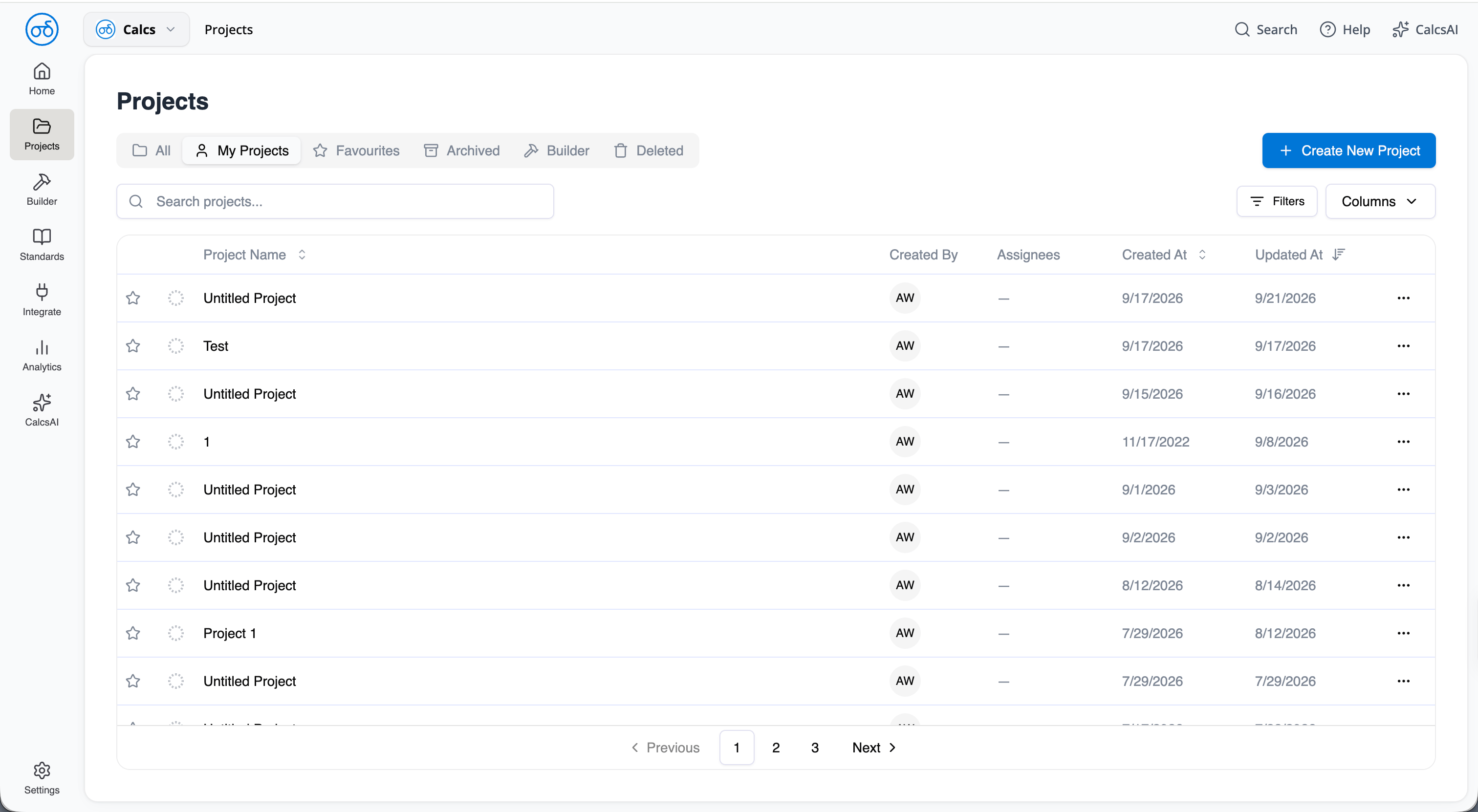
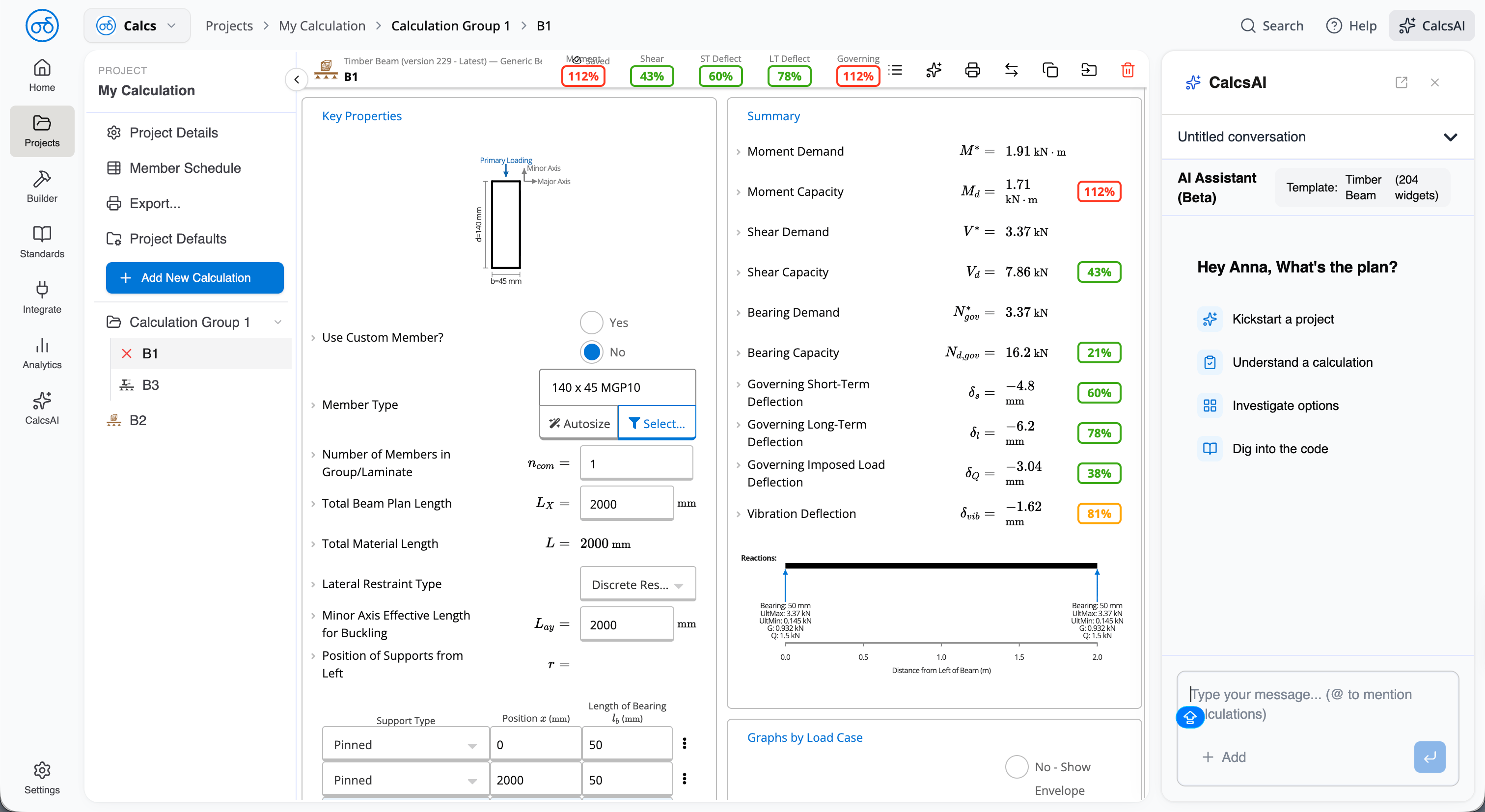
Calcs.com has a new frame around it. The menu down the left, the bar across the top, and the panel on the right have all been rebuilt. Calculation sheets themselves are unchanged.
This release is currently only available to organizations enrolled in Early Access. If your organization is not enrolled in Early Access, your screens look the same for now.
This release also mentions CalcsAI which is in beta testing separately.
## The menu down the left
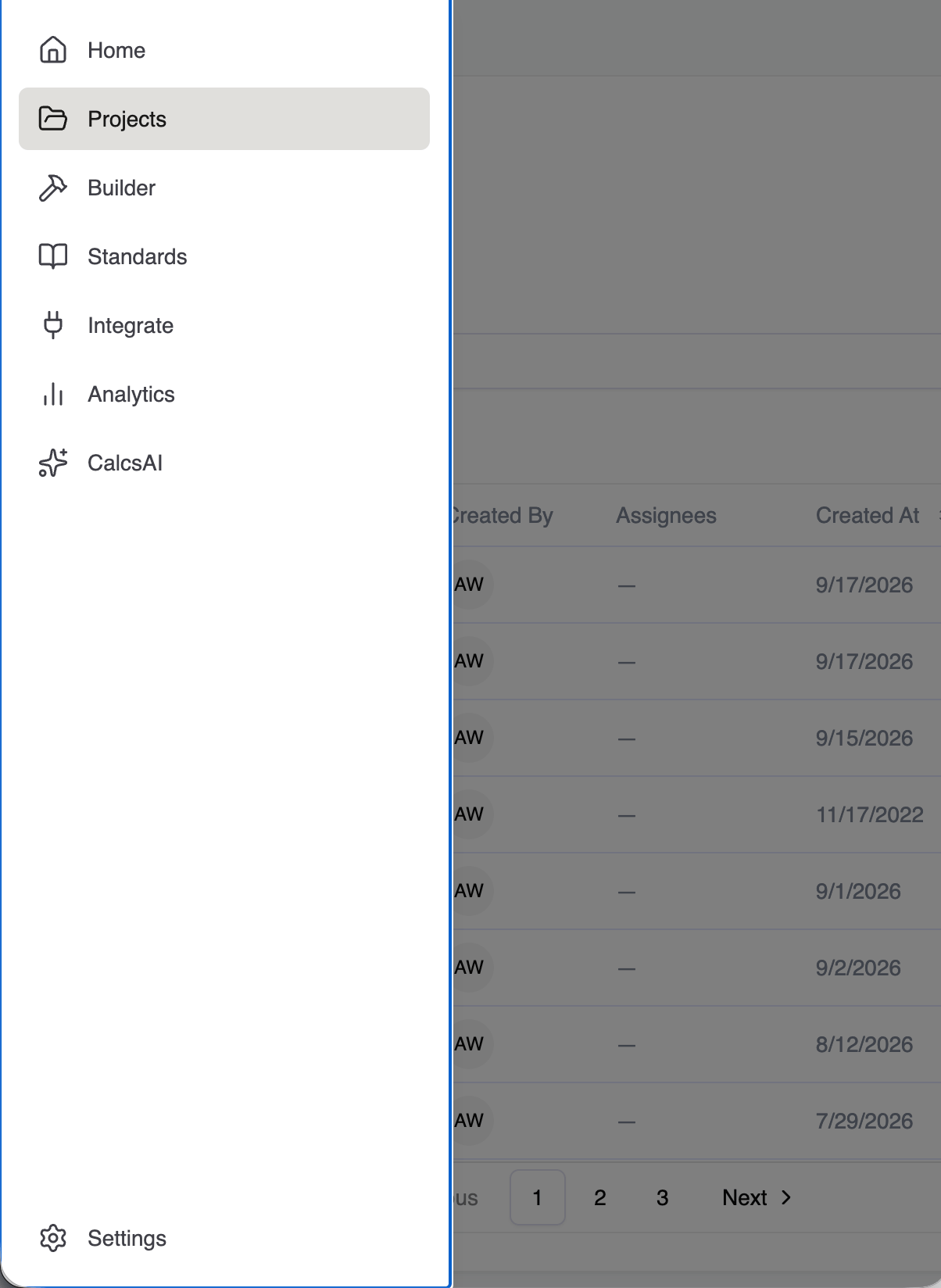
The main menu is cleaner and better organized. On a phone or tablet it now tucks behind a button instead of squashing the page.
 ### The project sidebar
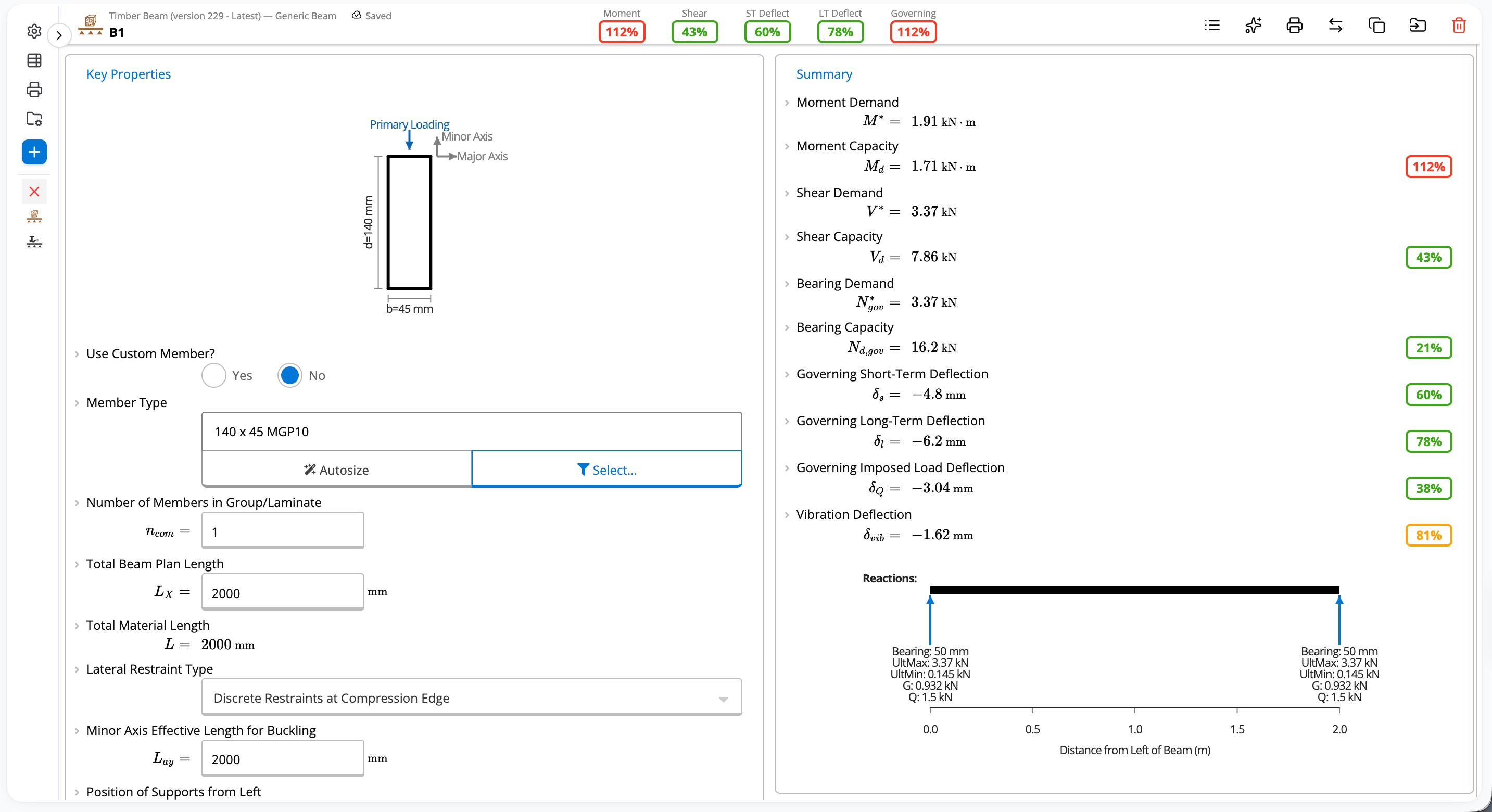
You can collapse the project sidebar when you want more room to work, and drag it wider or narrower to suit you. Calcs.com remembers how you left it.
### The project sidebar
You can collapse the project sidebar when you want more room to work, and drag it wider or narrower to suit you. Calcs.com remembers how you left it.
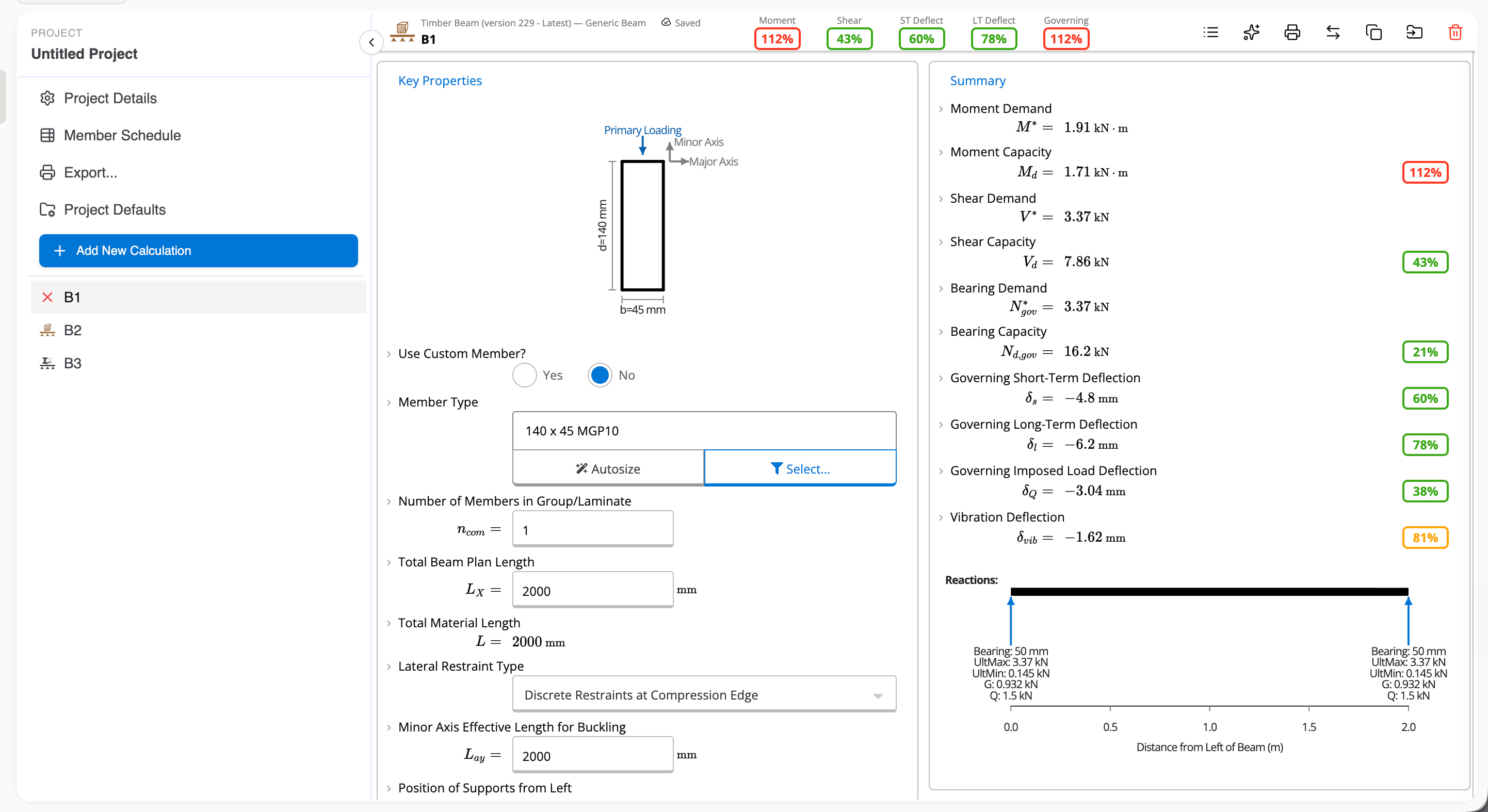
 You can also move a project into a group directly in the sidebar.
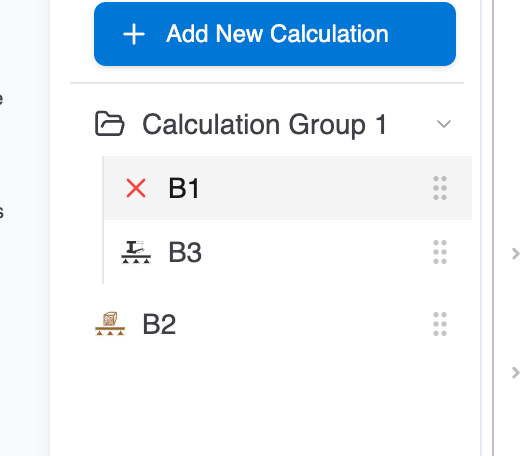 Hovering over a calculation shows its details, so you no longer have to click in just to check what it is.
## The bar across the top
If you are an organization admin, you can manage your organization from the top bar. Invite members, manage existing members, and change settings without leaving the page you are on.
Hovering over a calculation shows its details, so you no longer have to click in just to check what it is.
## The bar across the top
If you are an organization admin, you can manage your organization from the top bar. Invite members, manage existing members, and change settings without leaving the page you are on.
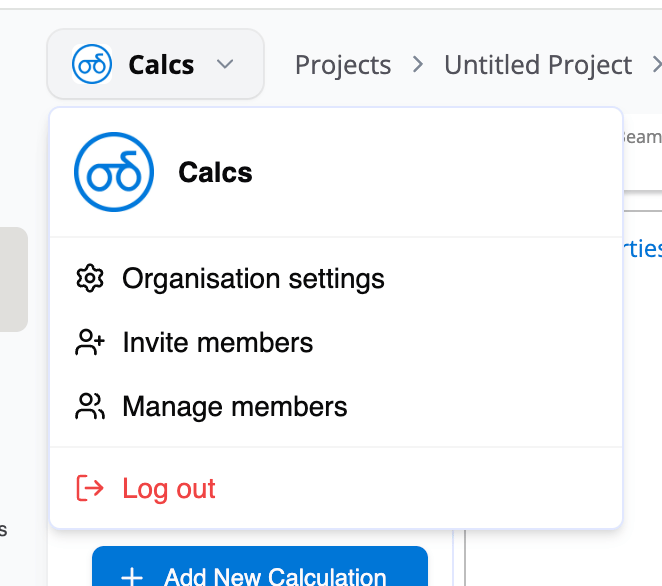 A trail across the top shows where you are: the project you are in, the group, and the calculation. Select any step to jump back without hunting for it.
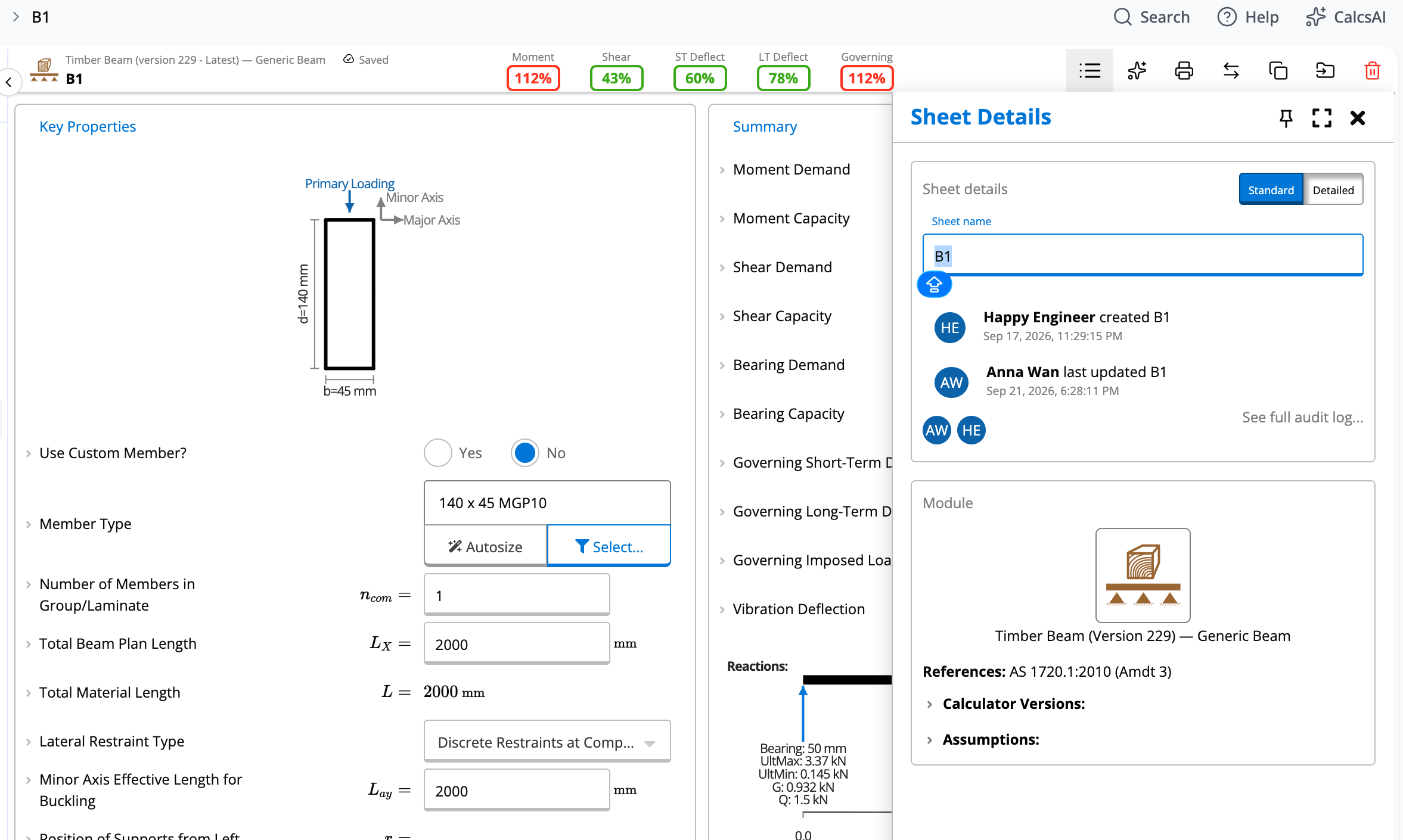
 Calculation details also move from the sidebar into the top bar.
 ## The panel on the right
Help and Calcs AI (in beta) now sit together in one panel on the right.
## The panel on the right
Help and Calcs AI (in beta) now sit together in one panel on the right.
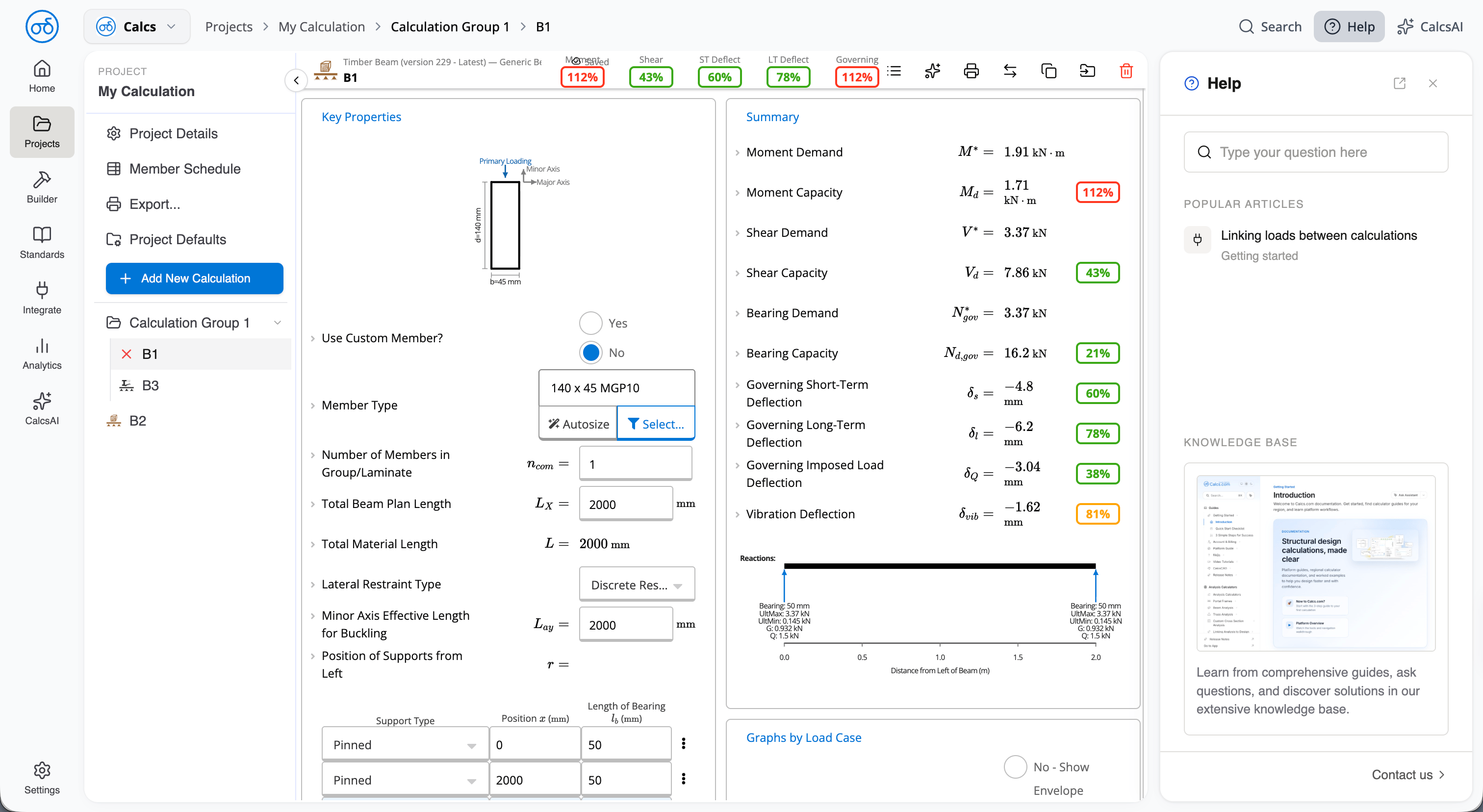 Help shows popular and related articles, and you can read them without leaving the page. Contact us sits behind them.
Calcs AI knows which calculator you have open, so you do not have to explain it first.
Help shows popular and related articles, and you can read them without leaving the page. Contact us sits behind them.
Calcs AI knows which calculator you have open, so you do not have to explain it first.
 ## What has not changed
Calculation sheets work exactly as before. Your projects, calculations, and results are untouched.
## What has not changed
Calculation sheets work exactly as before. Your projects, calculations, and results are untouched.